What Your PT Software Should Tell You (But Doesn't)
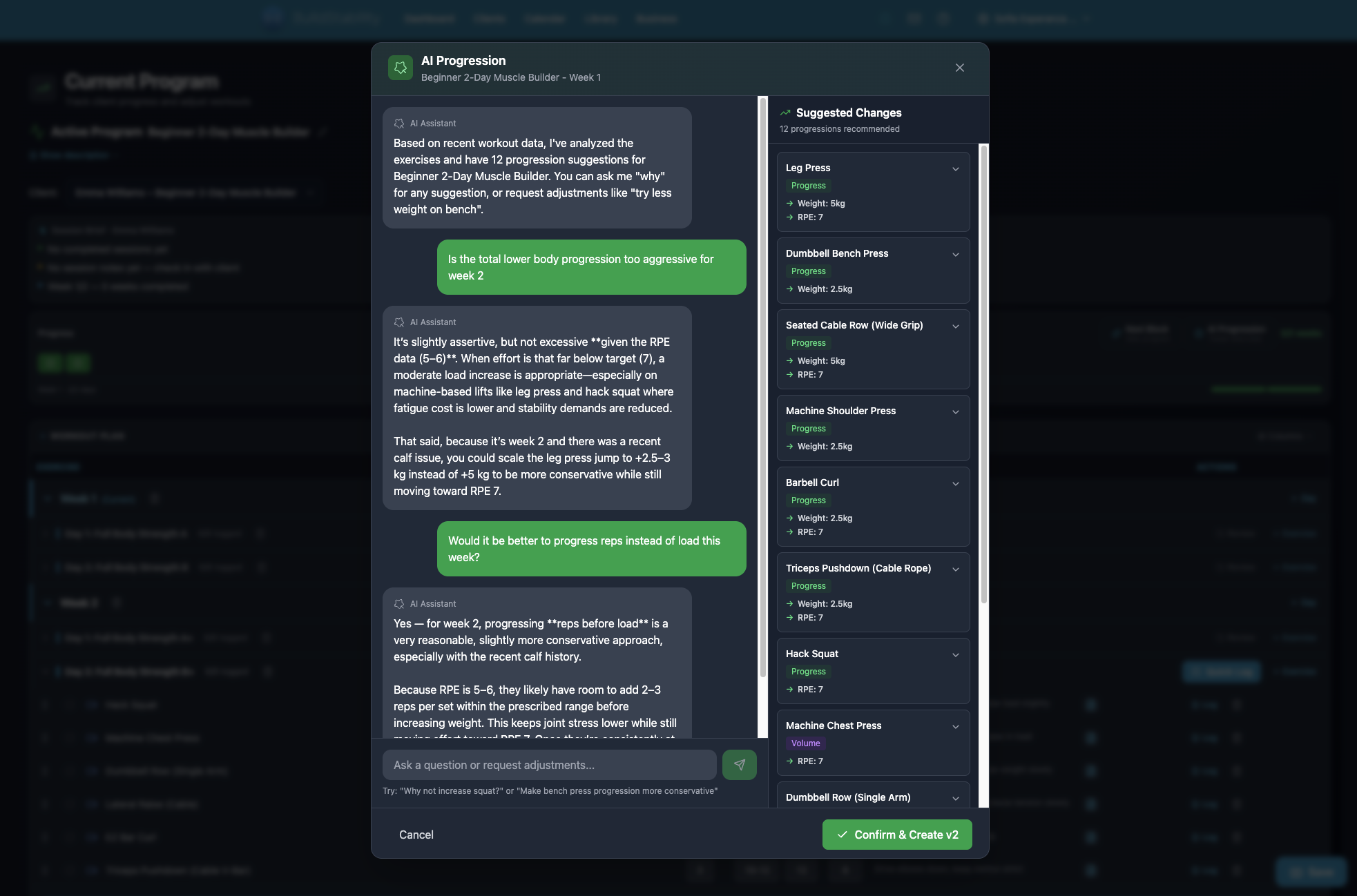
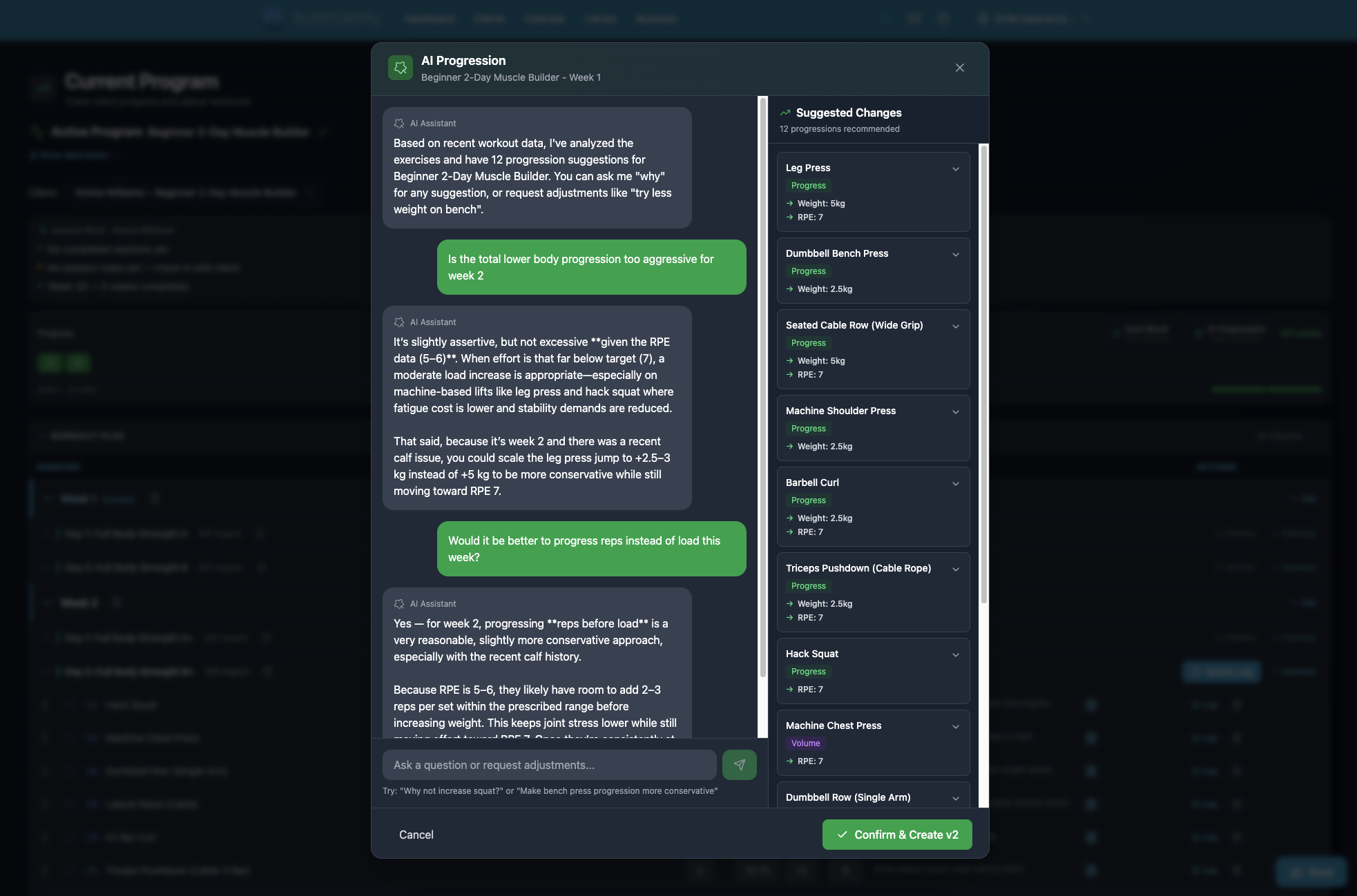
Most PT software stores your data but never reads it. Business intelligence means your software connects the dots — flagging at-risk clients, summarising revenue, and preparing session briefs — without you opening a spreadsheet.
Your software is a filing cabinet
You open your PT software every day. You log sessions. You check tomorrow's schedule. You glance at a payment notification. Then you close it.
Your software stores data. Client attendance. Revenue. Session notes. Engagement patterns. It has been collecting this information for months, maybe years.
It never says a word about any of it.
You find out a client is about to quit when they stop replying to texts. You discover revenue dropped when you check your bank account. You realise you forgot to adjust Sarah's program when she tells you her knee still hurts.
That is not your fault. Your software had the data to flag all three of those problems. It chose to be a filing cabinet instead.
What "business intelligence" means for a trainer
In the corporate world, business intelligence is a $30-billion industry. Companies pay millions for dashboards that tell them what is happening, what is about to happen, and what they should do about it.
Trainers run real businesses too. They just do not have the same tools. A solo trainer managing 20 clients needs to know three things without having to go looking:
1. Which clients need attention right now?
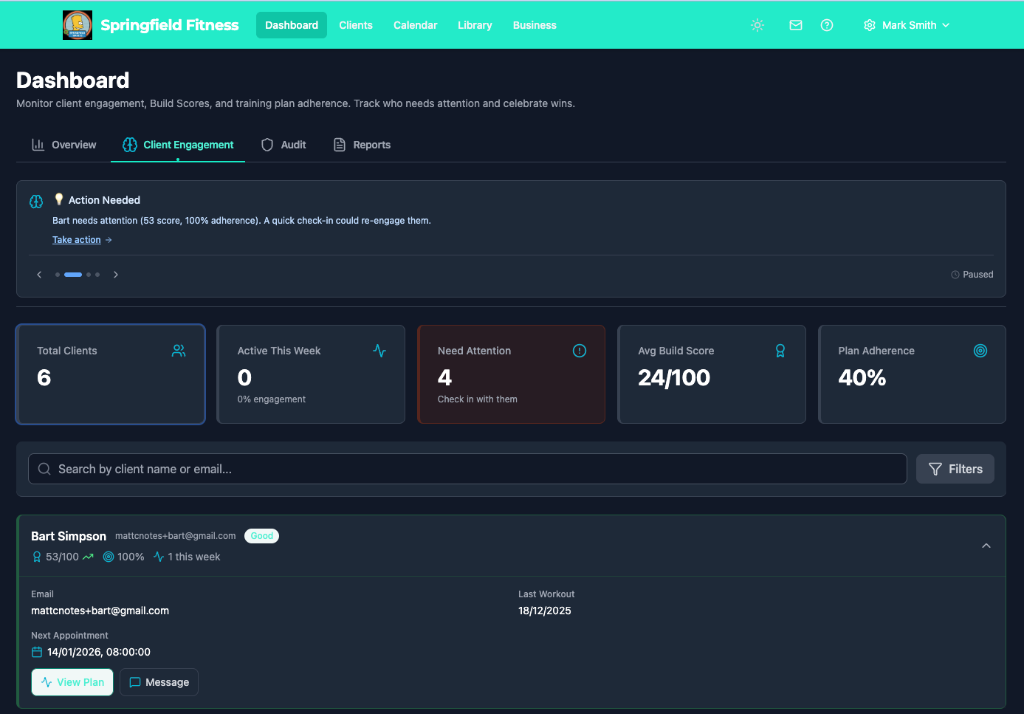
Sarah has not booked a session in 12 days. Mark's attendance dropped from three times a week to once. Lisa cancelled her last two sessions. These are patterns that predict churn. Your software has this data. It should be telling you.
2. How is the money tracking?
Revenue is up 8% this month. Two clients are overdue on payments. Your average session value dropped because three clients downgraded from twice-weekly to once. You should not have to build a spreadsheet to know this. The data is already in the system.
3. What should you focus on today?
You have six sessions. Sarah's engagement score dropped to 42. Mark mentioned lower back pain last week. The AI prepared session briefs for both. You know what to ask, what to adjust, and who needs a check-in message before you pick up your first coffee.
The difference between storing data and reading it
As of March 2026, every major PT platform on the market stores your client data. Trainerize stores it. Mindbody stores it. My PT Hub stores it. They are all filing cabinets. Some have nicer drawers than others, but they all wait for you to open them.
As of this writing, none of them read the data, connect the dots, and tell you what they found.
That gap is what business intelligence fills. Not more dashboards. Not more reports you have to remember to check. Intelligence means the software does the analysis and brings you the answer.
"Who is at risk of quitting?" is not a report. It is a question. And you should be able to ask it in plain English.
How this works in practice
REPley, BuildStability's AI assistant, is not a chatbot bolted onto a scheduling app. It is 25 tools (at time of publishing) that read your actual business data and respond in conversation.
Morning, before your first session:
You open the app. Session briefs are ready. Sarah's engagement score is at 42 and dropping. Mark's RPE has been climbing for three weeks. You know what to adjust before your first client walks in.
Between sessions:
"How is revenue this month?" Up 12%. Two clients at risk. The AI drafts a check-in message for each. You review, edit if you want, and send. Total time: 90 seconds.
End of day:
"Sarah felt tired today, knee pain on squats, RPE 7. Move Thursday to Friday." Notes saved. Schedule updated. Context remembered for her next session. You did not open a separate notes app, a calendar app, and a client profile. You said one sentence.
Programs. Scheduling. Revenue summaries. Client reports. Churn alerts. Session prep. 25 tools (at time of publishing), one conversation.
What the competition offers
Competitor features described as of March 2026. Capabilities may have changed since this was written.
This is not a knock on other platforms. They built good products for different problems.
At time of writing, Trainerize has an AI Workout Builder in beta that generates individual workouts. It does not currently offer business data analysis, churn prediction, revenue summaries, or session briefs.
Mindbody offers Messenger[ai] for handling customer chat and booking. At time of writing, it does not offer client engagement pattern analysis or conversational business performance queries.
As of this writing, neither platform offers a conversational assistant that connects programs, scheduling, revenue, and client intelligence in one interface.
Business intelligence for trainers is a category
This is not a feature comparison. It is a category that does not exist yet.
"Studio management" is Mindbody's category. "Online coaching" is Trainerize's. Neither owns "business intelligence for trainers" because neither has built it.
The trainers who will run the most sustainable businesses are the ones who know which clients are at risk, how revenue is trending, and what to focus on today. Without opening a spreadsheet. Without building a report. Without remembering to check a dashboard.
That is what your software should tell you. Not because it is clever. Because the data was there all along.
BuildStability includes all AI tools on every plan, starting at $19 AUD/month (plus standard Stripe processing fees on client payments). See pricing or start a free trial. Pricing current as of September 2026.
Ready to automate your training business?
Start your 14-day free trial. No credit card required.
Start Free Trial