Show clients the change. Or watch them drift.
Every client gets a 90-day arc with six milestones. Day 0 baseline takes 30 seconds. Day 7, 14, 30, 60, and 90 fill themselves in from the logger and the calendar. Day 90 is a shareable celebration page that drives referrals.
- ●Day 0 baseline in 30 seconds. Goal and starting weight by default.
- ●Optional toggles for starting 1RMs, body measurements, and a starting photo.
- ●Strength PRs from the logger land on the right milestone automatically.
- ●Adherence and session count auto-fill from the calendar.
- ●REPley nudges you before sessions when a milestone is due. Tap, capture, done.
- ●Day 90 ends with a shareable celebration page. Clients post it. You get referrals.
No feature gates. No add-ons. No commission.


“Most PT software is glorified data storage with a subscription attached. BuildStability is different.”
Vinay Koka · Founder, Synergy Training & Health

“It’s built for PTs first and foremost, not just an app that works for your clients. I’m an actual PT with face-to-face and online clients who switched, and couldn’t be more convinced this is the holy grail.”
Ad Coutts · Ad Coutts Personal Trainer

“The software is amazing! I am only just starting out as a PT but loving it. Building my client base, getting my face out there. As a rent paying PT I was recommended another app that everyone uses by one of the other trainers. Then I found REPley, and I am SO grateful. It is so useable.”
Shayna Fernando · Live Lift Love with Shayna · Toowoomba QLD

“I have moved to REPley by BuildStability from PTMinder. The app is easy to use as a trainer and my clients prefer it. I use it mainly for class scheduling and keeping track of payments… The support team have been amazing and have gone above and beyond to make the transition as smooth as possible for me.”
Amy · Inspire Health and Fitness · New Zealand
Show them the change. Or watch them drift.
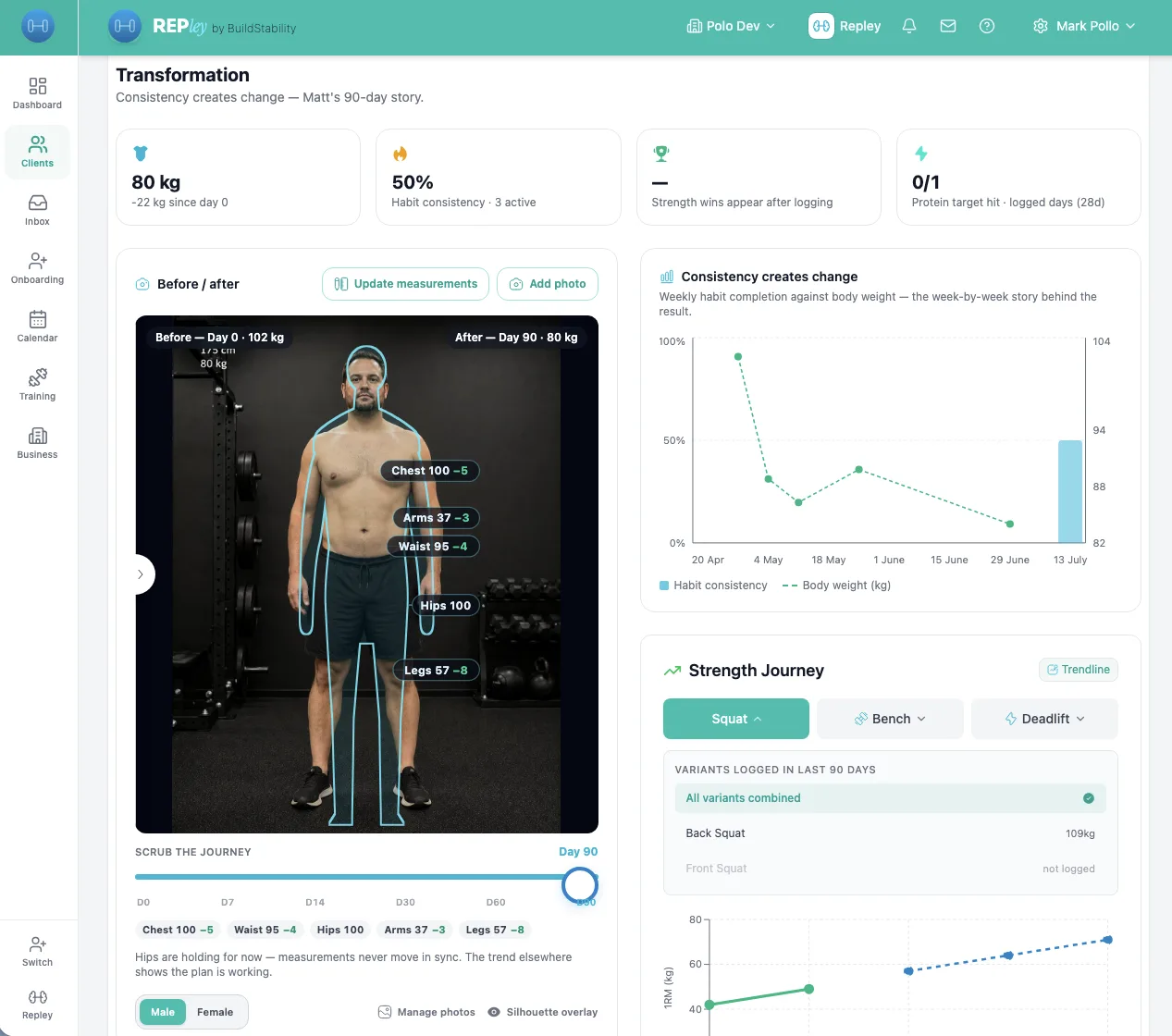
Every client gets a 90-day arc that fills itself in from the workout logger and the calendar. The Transformation page turns it into proof: before/after photos, measurement deltas, strength trends. Clients who can see the change stay, renew, and refer.
- Day 0 baseline in 30 seconds. Optional 1RMs, body measurements, starting photo.
- Sport-aware: pilates and wellness studios see a wellness tier instead of 1RMs.
- Manual-wins invariant: typed values are never overwritten by auto-fill.
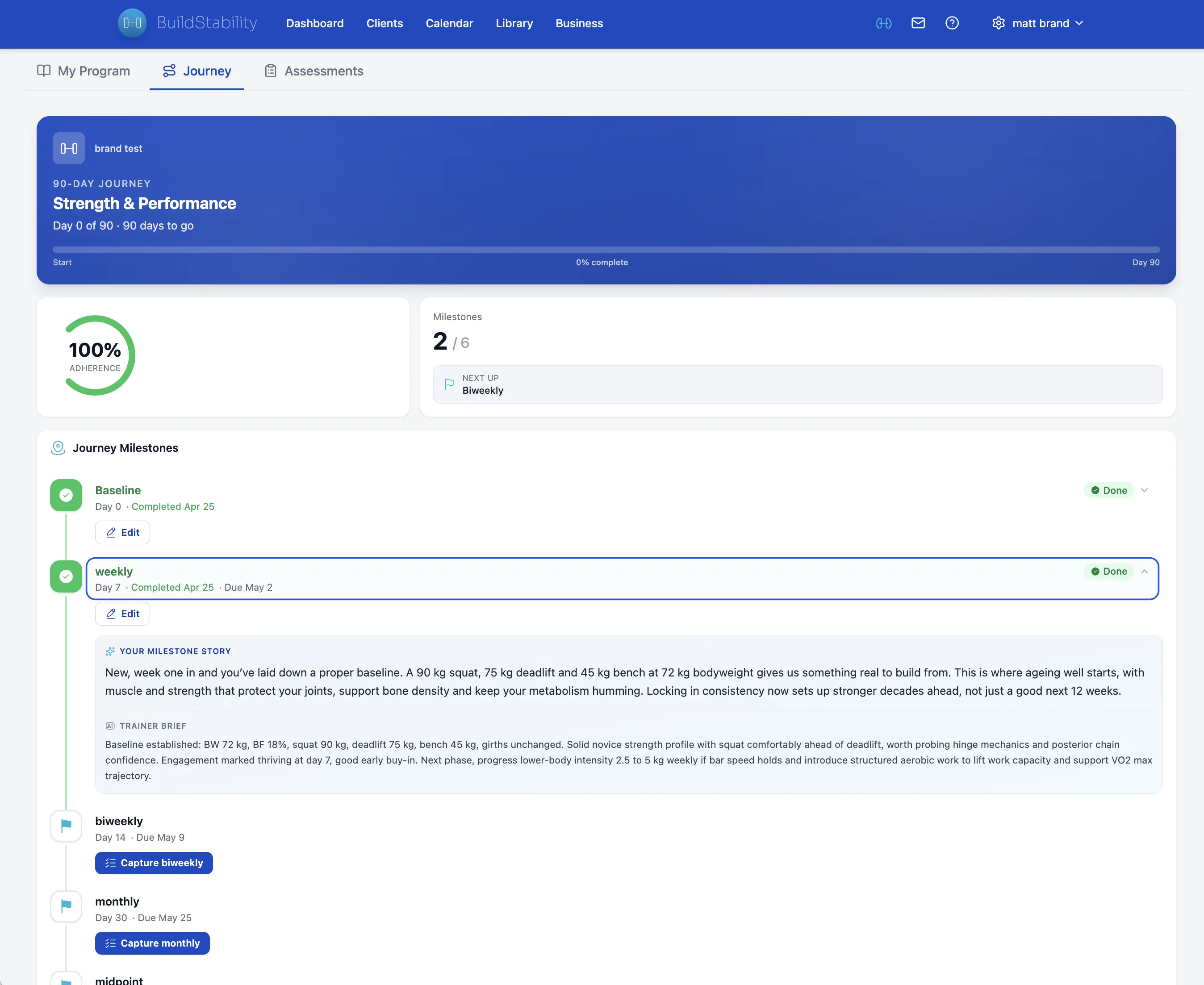
Day 0, 7, 14, 30, 60, 90. Mostly auto.
Adherence, session count, and strength PRs land on the right milestone with no trainer input. Manual entries always win, so what you typed never gets overwritten by the logger.
- Strength PRs and adherence land on the right milestone automatically.
- Manual entries always win. Typed values are never overwritten by auto-fill.
- Day 90 ends with a shareable celebration page. Referrals follow.
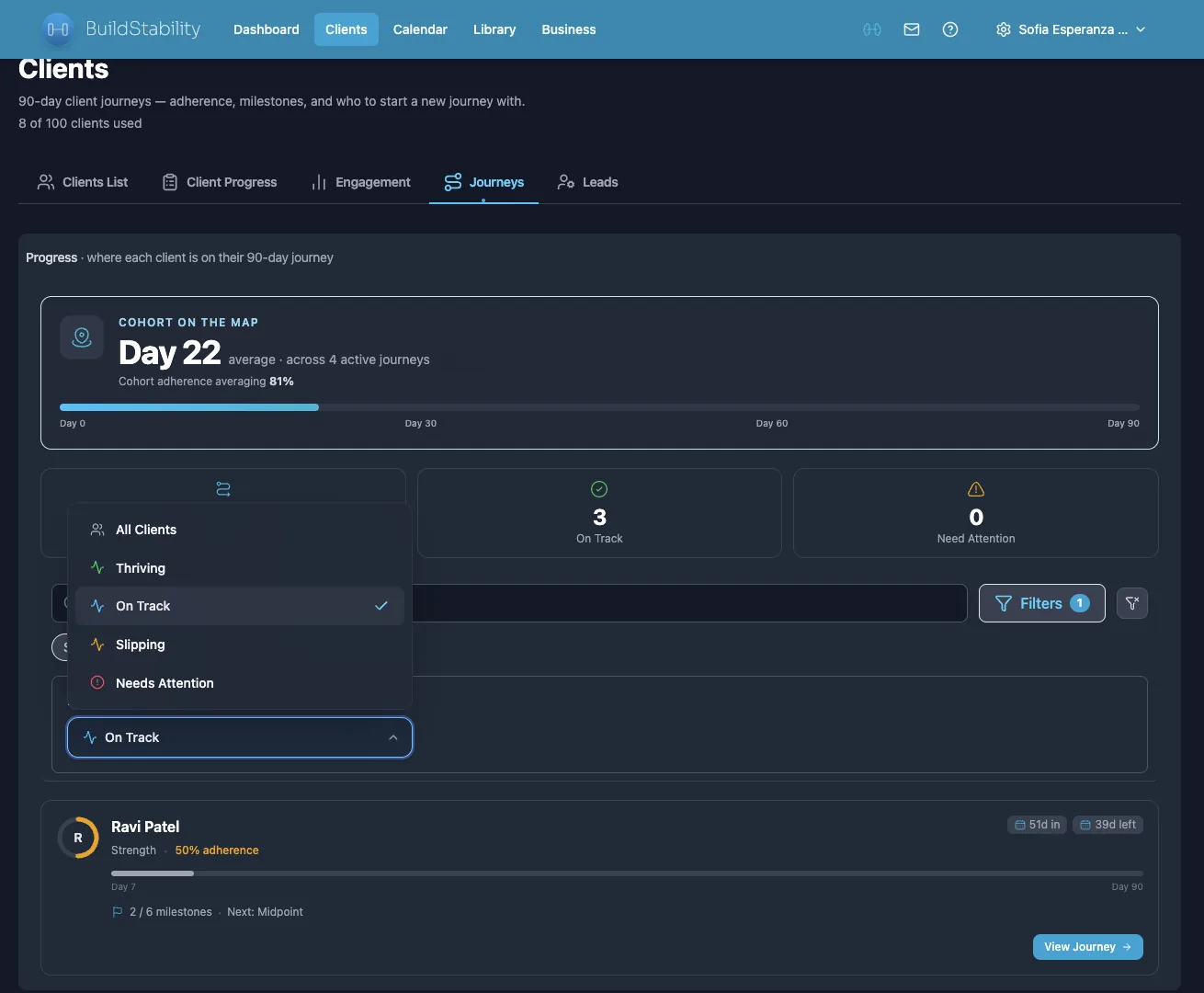
Before the session. A pill, not a popup.
REPley shows a discreet pill before each appointment when a milestone is due. Tap it, type two fields, done. Promote to modal if you want to add a photo or full measurements.
- Pre-session pill: capture inline in 10 seconds, dismiss if the timing is wrong.
- Post-logger toast: a quick check-in offered after the workout, dedupe per session.
- Never blocks the trainer flow. Always opt-in.
“Quick brief on Sarah before her 8am session.”
Milestones mark the arc. Habits carry the days.
Between Day 7 and Day 30 there are 23 days where nothing is due. REPley drafts up to three tiny daily habits per client, anchored to routines they already have, so the app earns a daily open instead of a fortnightly one. You approve. The app does the chasing.
- Anchored if-then habits: the format that roughly doubles follow-through in published exercise studies.
- Drafted from the client’s program, nutrition targets, and goals. Thin file? REPley asks two quick questions instead of guessing.
- Daily Done-or-Skip nudge, gentle streaks, no broken-streak shaming. Compliance rolls into your weekly digest.
“Set up daily habits for Jess.”
Ninety days of work. One slider that proves it.
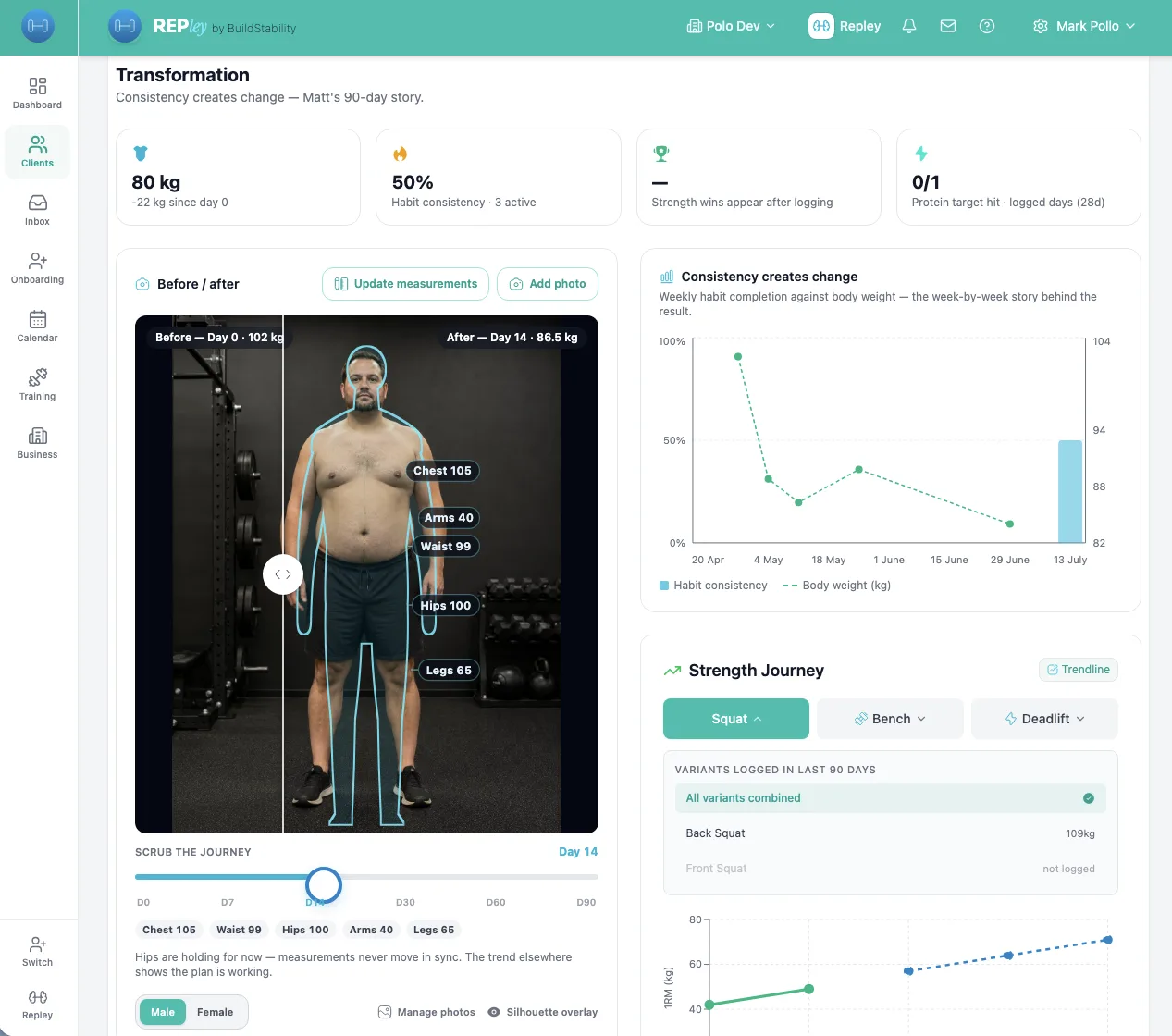
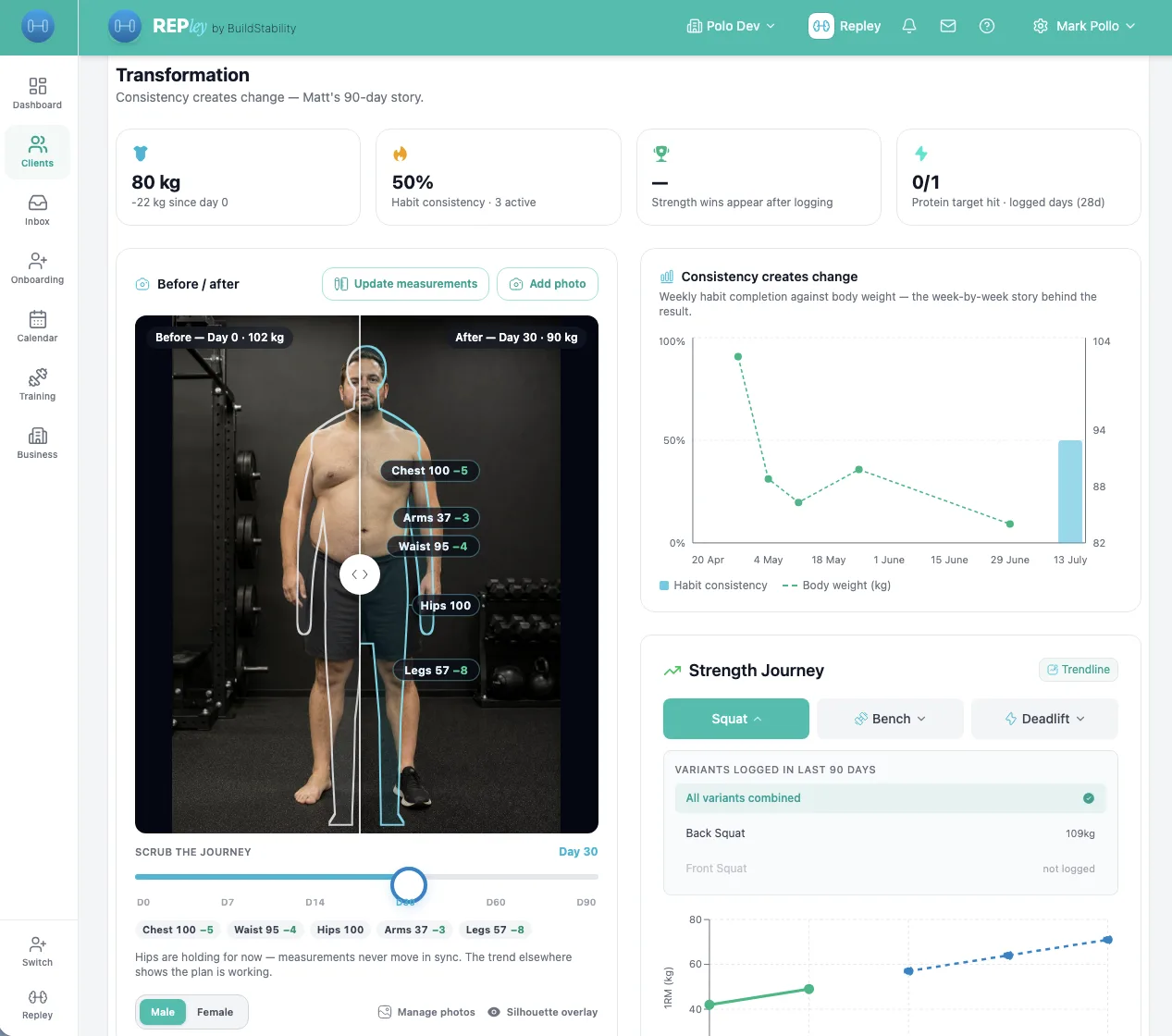
Photos side by side, measurement deltas on every region, and a scrubber that drags from Day 0 to Day 90. Photo-shy client? The silhouette overlay morphs from their measurements alone. The proof still lands, no photos required.
- Before/after photos with the journey scrubber: drag any two milestones side by side.
- Silhouette overlay drawn from real girth measurements, for clients who never want a camera out.
- Consistency chart ties habit completion to the body-weight trend, so clients see why it worked.
Clients post it. You get referrals.
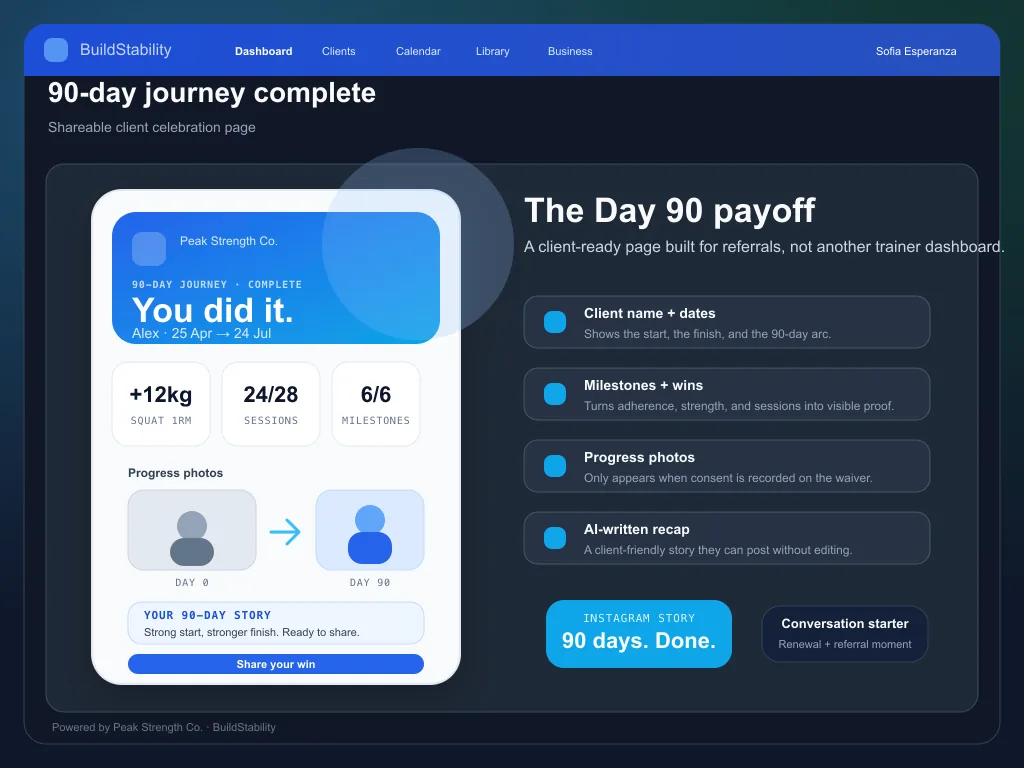
The 90-day arc ends with a celebration page that shows the start, the journey, and the proof. Clients share it. You get warm referrals from people who watched their friend transform on social.
- Client-side shareable page with their name, dates, and milestones.
- Optional progress photos with consent recorded on the waiver.
- Day 90 is the natural moment to renew. The page is the conversation starter.
Your studio name, your logo, your colours.
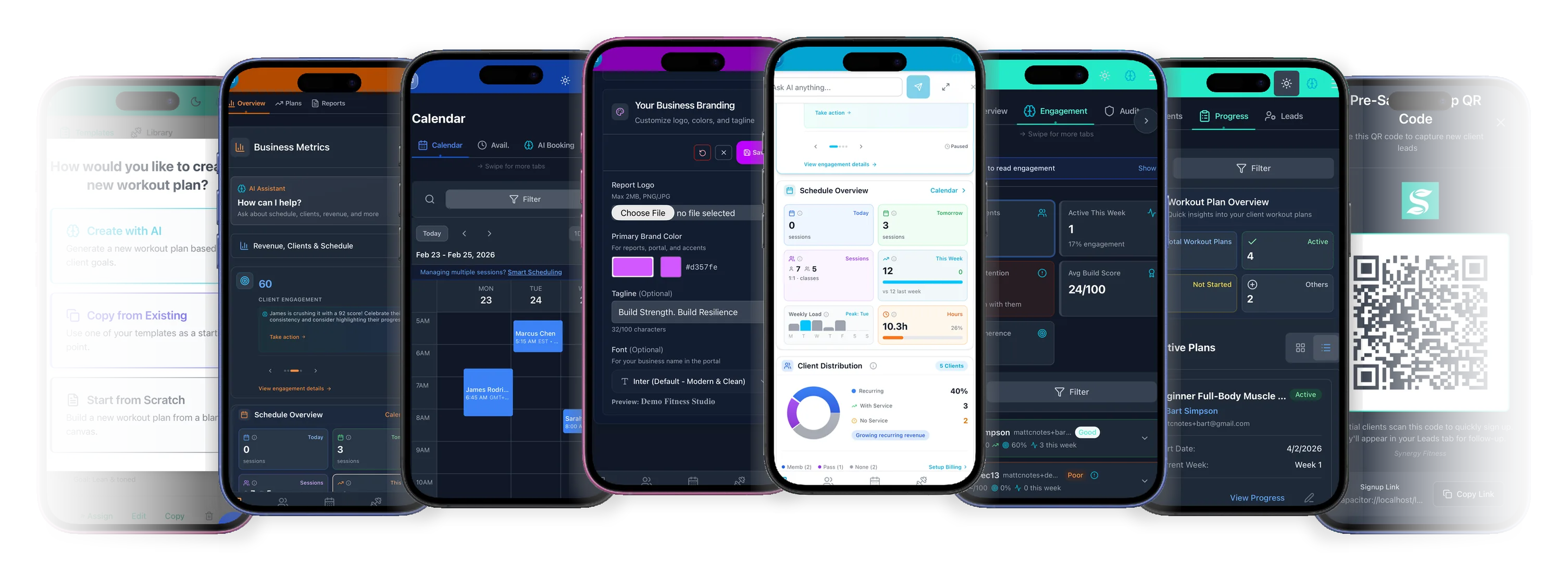
Your brand up front. Our infrastructure behind it. No email server, no app to build.
- Logo and colours, everywhere
Custom logo and primary colour across the client portal, reports, invoices, and check-in screens. One setup, every surface.
- Emails from your name
Bookings, reminders, invoices send from your business name via our infrastructure. No per-studio mail server to wrangle.
- iOS and Android, branded
The BuildStability apps open on your business identity when clients log in. No App Store fees, no developer account.
A program in seconds. Or build it by hand.
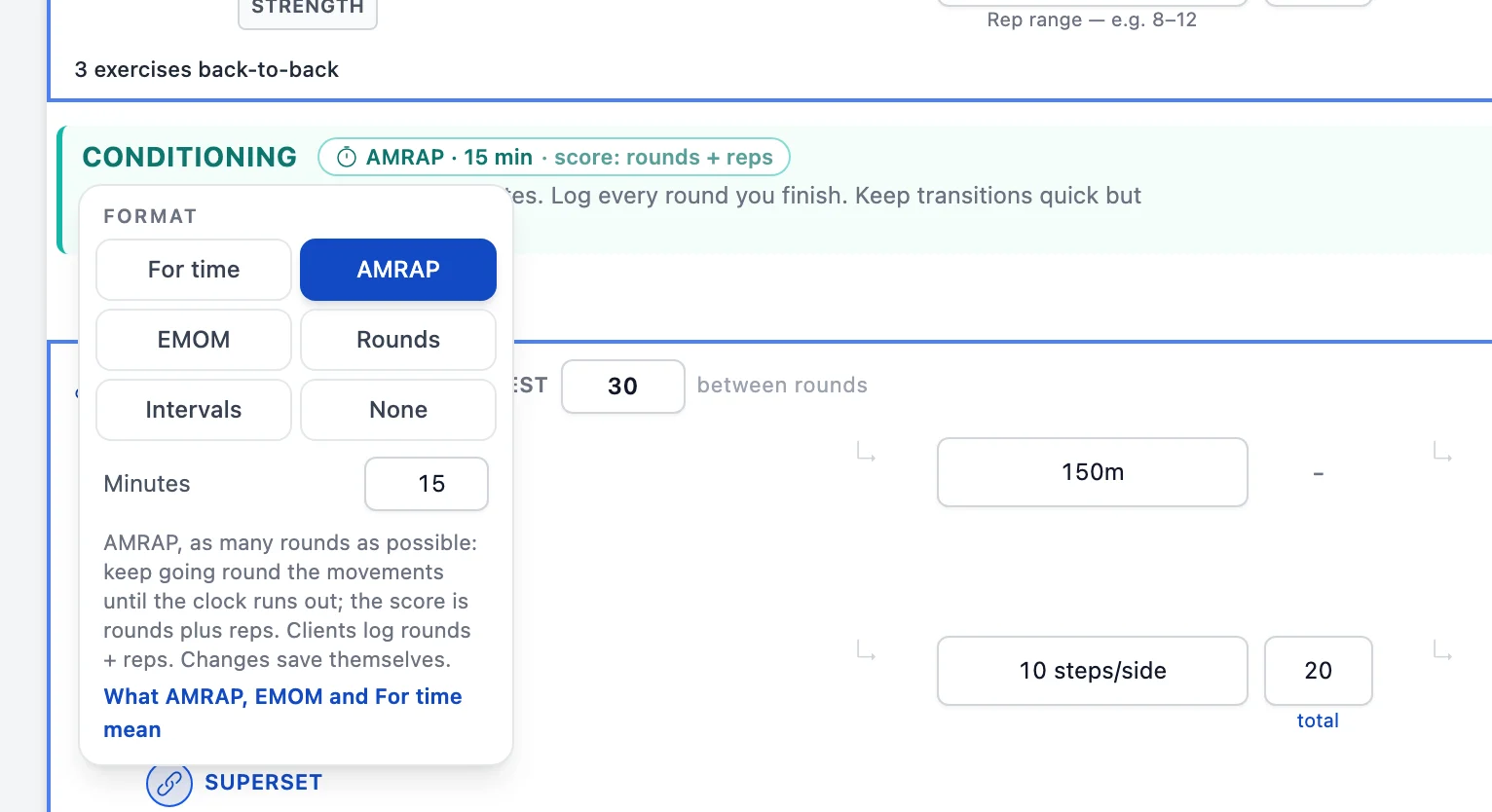
Tell it: “Sarah, shoulder impingement, 3x/week, 4-week hypertrophy.” REPley drafts the periodised plan from her history. Or build it yourself in the same editor, with supersets, circuits and AMRAP sections. You review, tweak, assign.
- REPley drafts, you approve
Injury notes, RPE trends, last session’s actual load. A periodised block in about 60 seconds, and nothing reaches the client until you assign it.
- Or build it by hand
Split, goal, equipment, and the week arrives pre-shaped. Shorthand like 3×8 @RPE8 90s fills the row, and pyramid sets get their own reps and load.
- Circuits, AMRAP and EMOM
Link moves into supersets and circuits, give a section a format, and clients log one score with a timer on the session.
“Build a 4-week hypertrophy program for Sarah. Shoulder impingement, 3x/week.”
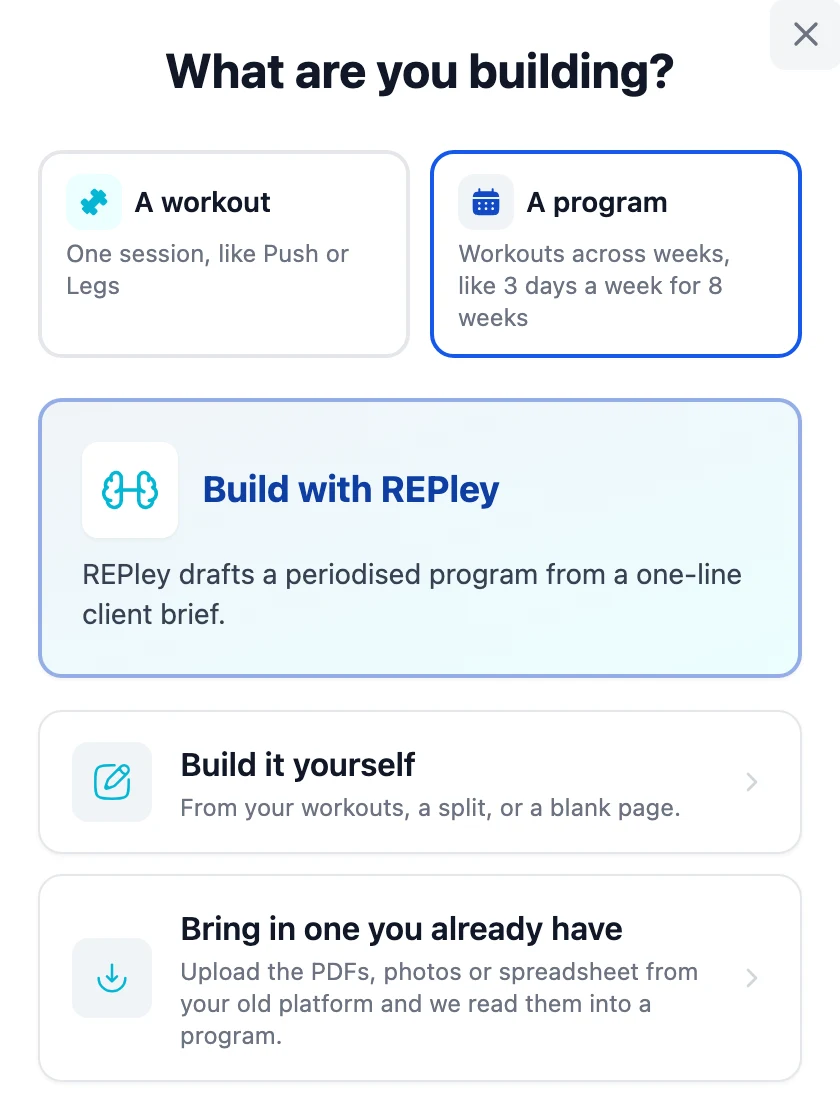


Ask REPley for a program, or a HYROX race block, and review the draft.
A business coach for the business side. Not just another PT app.

Matt Crofts · CPA · 25 Years Software
Every PT tool I tried was old software with a complex price list: tiers, add-ons, and in some cases a cut of what your clients pay you. You should not need a business degree to know whether you are being ripped off. So I built REPley by BuildStability for the AI era of trainers. Ask it in plain English and it runs the admin. Simple to learn, one price with every feature in it, and on your side.
Cancel any time, without friction.
Cancel in 1 click. Directly from the Business page. No support ticket. No phone call.
Keep access until the end of your billing period. No immediate lockouts. Export your data on your schedule.
Changed your mind? Undo in 1 click. Reverse a pending cancellation any time before it takes effect.
Give every client a journey worth sharing.
From A$19/mo. 14-day free trial. No credit card. Cancel in 1 click.