Ghosted at 5:30am? This personal trainer booking system has your back.
Personal trainer scheduling software with a virtual assistant built in. It reminds clients, blocks the midnight reschedule and deducts the credit on its own, so you stay on the floor, not on your phone.
From A$19 a month. No card required.
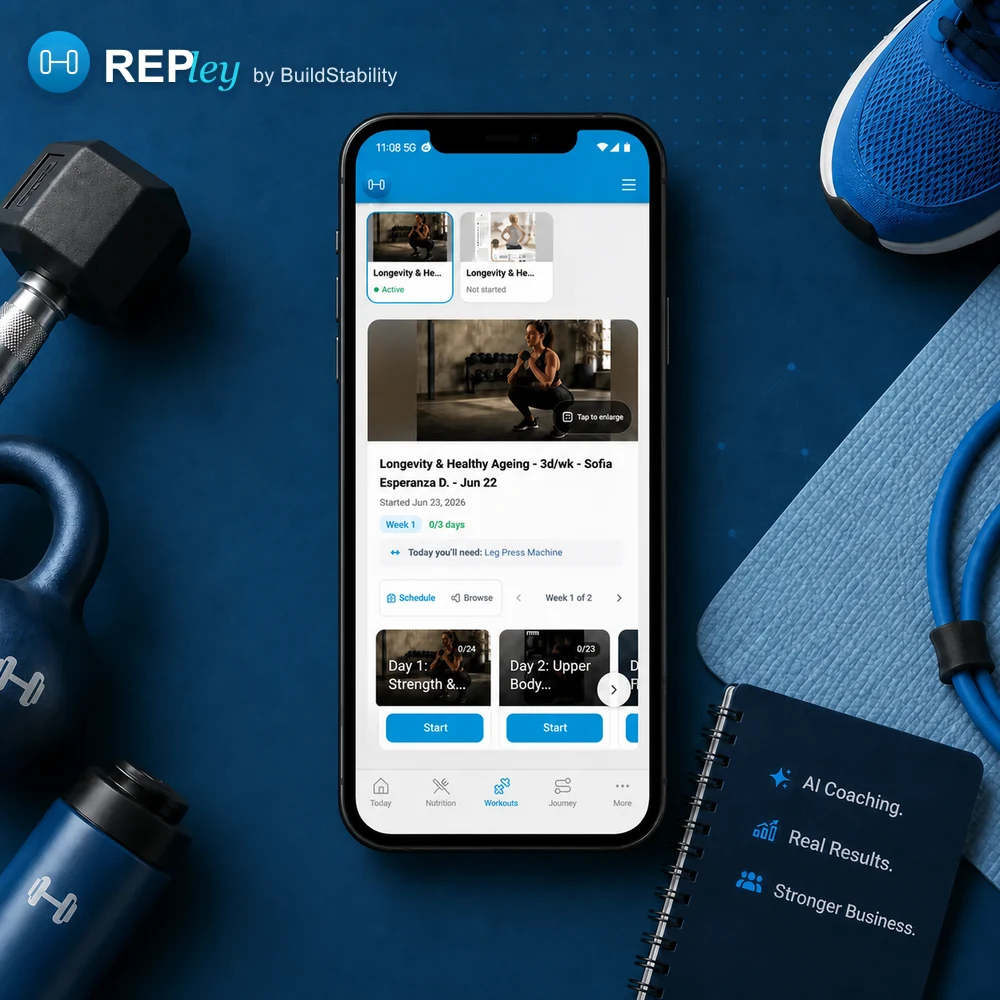
Reminded the day before
Clients get a reminder the day before without you sending it. Add a second one 2 hours out if you want it.
No midnight reschedules
Inside your cancellation window, 12 hours by default, a client cannot move or cancel the session. They have to ask you.
Paid, even for a no-show
On a session pack, the credit comes off on its own. Nobody has to mark anything complete, and a no-show still uses it.
A virtual assistant on duty
A morning brief with your session count and what needs you. Ask REPley who is booked tomorrow, or have it offer new times once you OK them.
Most software tells you the 6am is empty. It does not fill it.
The message lands in your inbox and REPley drafts the reply in your voice, with real times from your calendar attached. You send it. Your client taps a slot and rebooks before you have finished your coffee.
One message. One tap. No phone tag.
REPley drafts, you send. Nothing reaches a client without your approval.
Pick a session time
Times from your real availability.
None of these work
Rebooked for tomorrow, 6:00 am
Scheduling software where the booking and the money are one record.
Packs and memberships are built in. A booking deducts a credit, the tax invoice follows with your tax ID on it, and payments land in your own Stripe account with no commission taken. Nothing to reconcile at the end of the month.
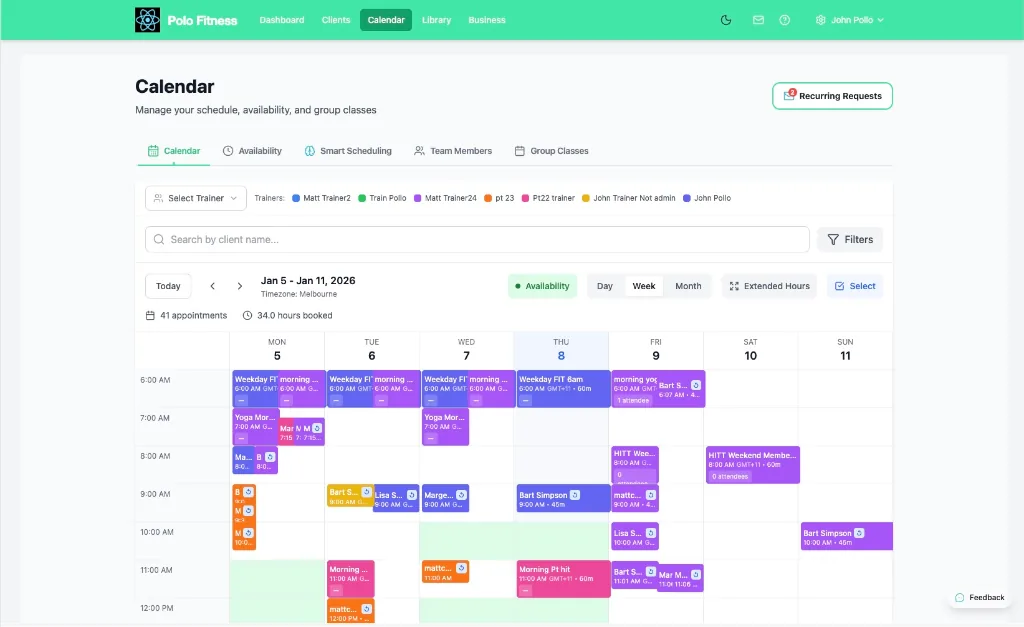
Every way you sell a session, on one calendar.
One-to-ones, semi-private, group classes, drop-ins, reformer reservations. You are not running a second tool for the sessions that do not fit the first one.
- Every session type
Privates, small group, classes, drop-ins and reservations all sit on the same calendar, with their own capacity and their own rules.
- Double bookings refused at the server
Capacity, overlap and buffer windows are enforced when the booking is written, not checked in the browser afterwards. Two clients cannot take the same slot.
- Your hours, your rules
Bookable hours and time off, buffer between sessions, how far ahead someone can book, and a daily cap. Set once. The client gets their reminder 24 hours out without you sending it.
- Two-way Google Calendar sync
Connect Google Calendar once. Sessions push out to it, and your busy time for the next fortnight can close those slots here. All-day entries are ignored and blocking is a switch you control.
A cancellation is a seat, not a hole in your day.
A full session takes a waitlist. The moment someone drops out, the next person is in and told, without you finding out first.
- They can see the queue
A client joining a waitlist sees their position before they commit, so nobody is waiting on an answer that never comes.
- Promotion fires on any cancellation
Whether you cancelled it or the client did, the next person is promoted and confirmed. No staff member sits in the middle of it.
- The credit follows the seat
Packs, memberships and reservations all work with it, and the session credit is deducted at the moment the booking is made.

An iPad at the door beats a clipboard.
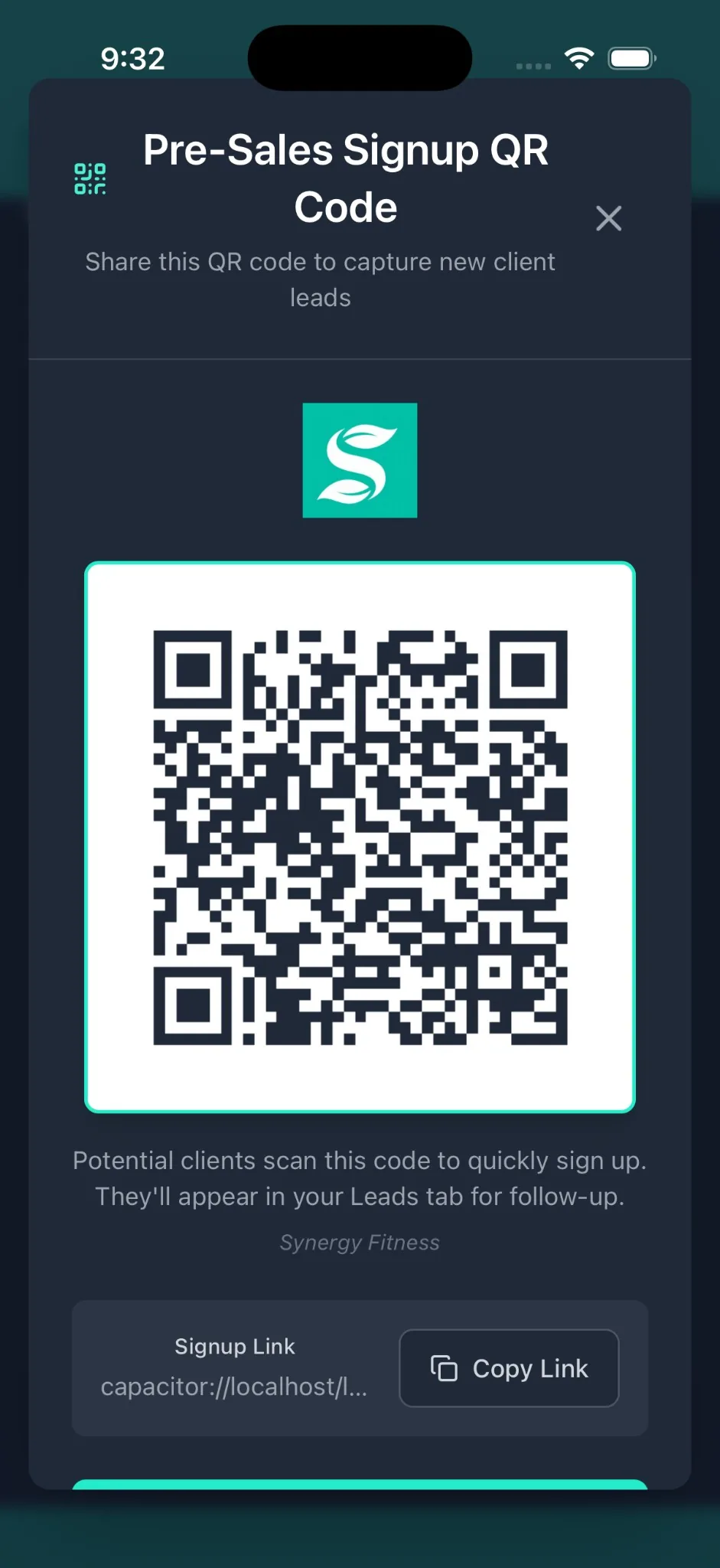
Members scan and they are in. A walk-in types a name and an email and they are in. You stay on the floor instead of working a desk.
- Each QR code is tied to one session, so nobody checks into the wrong class
- Walk-in registration takes a name and an email, with no app to download
- Attendance lands on the session record, so no-shows are counted rather than remembered
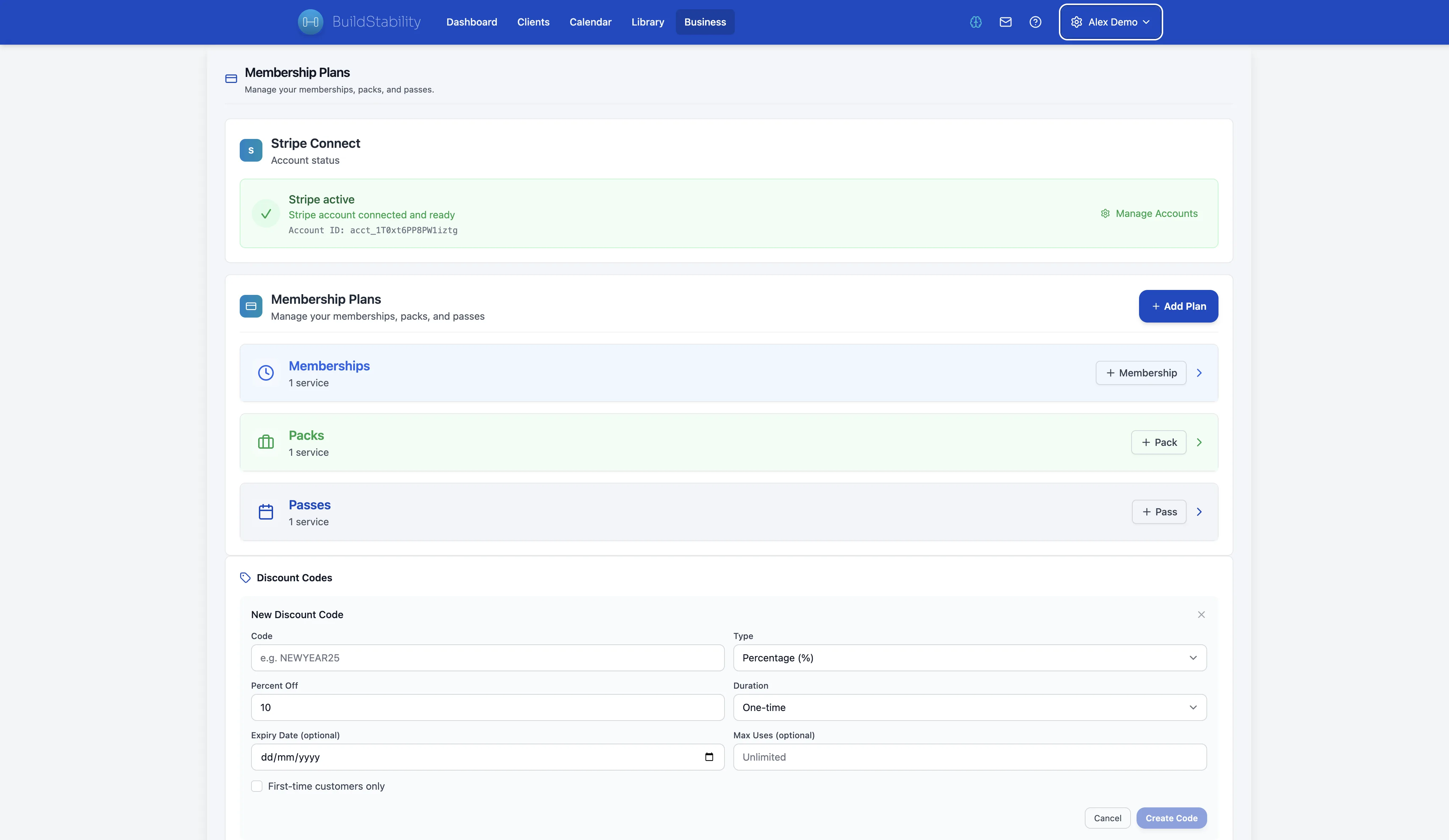
The money turns up, with a receipt attached.
Clients pay into your own Stripe account. We never hold the money and we take no percentage of it, so the price on our pricing page is the only thing we cost you.
- Every billing model
Session packs, memberships, one-off payments and direct debit, in one place rather than a folder of payment links and a spreadsheet.
- Zero commission
No per-booking fee and no cut of the payment. You pay Stripe their standard card rate directly, and nothing to us on top.
- The invoice is correct either way
GST with your ABN in Australia and a BAS-ready export, GST with your IRD number in New Zealand, VAT with your VAT number in the UK, GST with your Business Number in Canada, and a plain invoice if you are not registered. Built by a CPA.
Take on online clients with one link, not an afternoon.
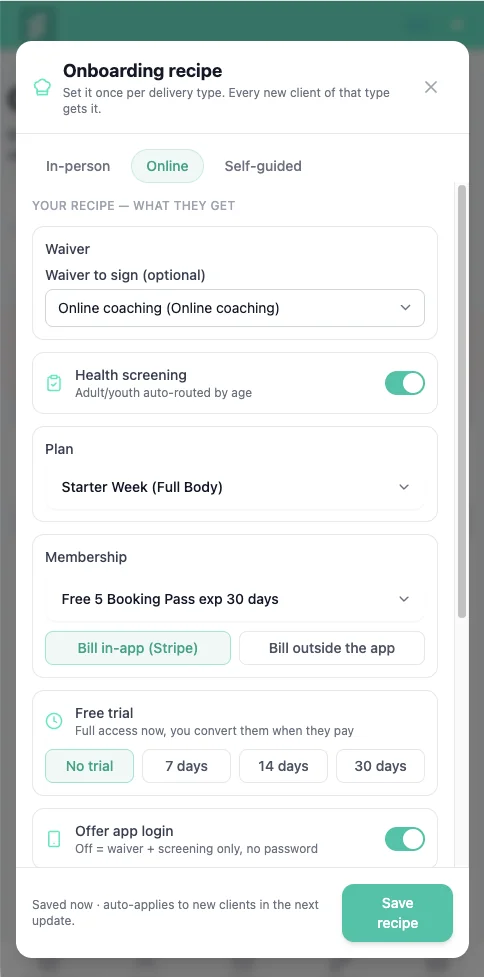
Every online sign-up used to cost you an afternoon of paperwork. Build the recipe once. New clients get the waiver, health screening, first plan and trial the moment they accept.
- Build it once per type
In-person, online or self-guided. Each recipe carries its own waiver, screening, first plan and membership. Set it, walk away.
- Fires when they accept
Waiver, screening, plan and trial all attach on accept. No intake to rebuild, no checklist to remember, no PDFs to chase.
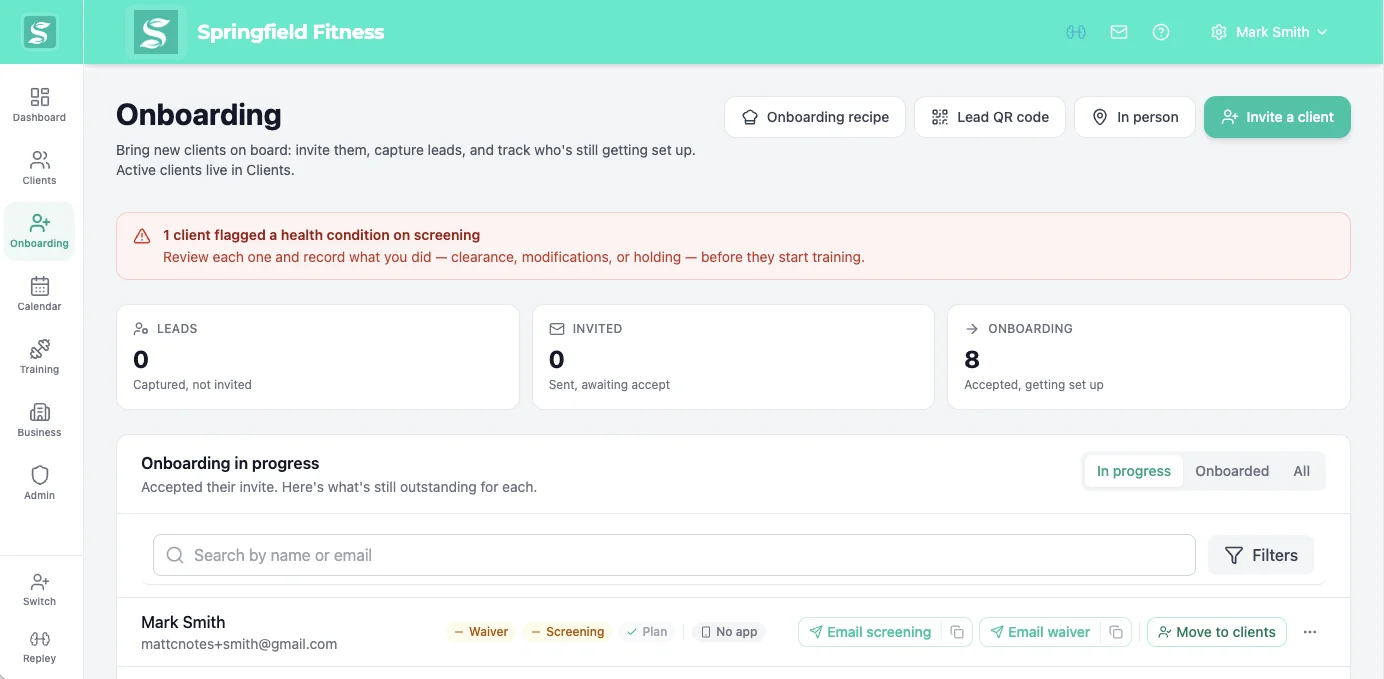
- Screening for AU and NZ
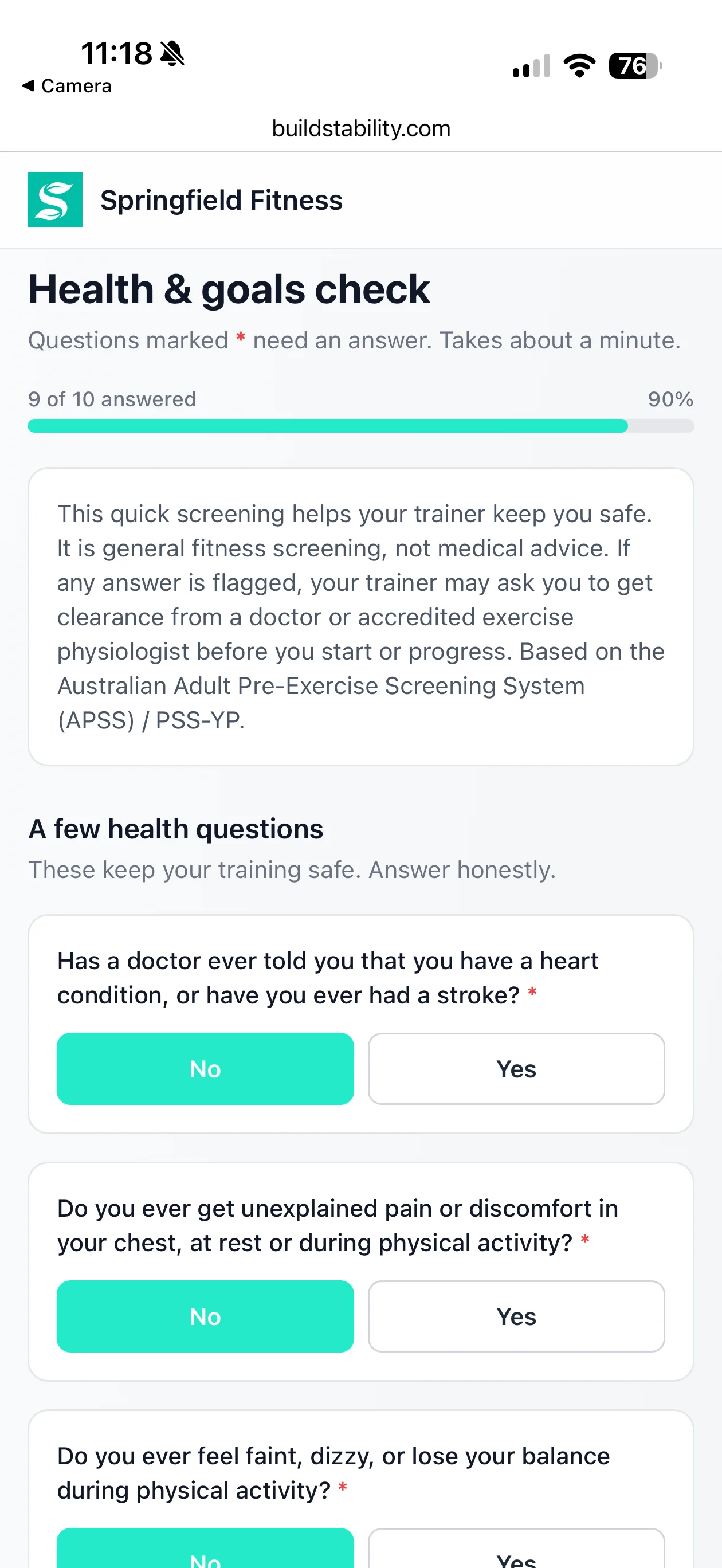
Age-routed pre-exercise screening flags health risks and recommends GP clearance. Built for the checks AU and NZ trainers run. Stay covered.
Onboarding that runs itself, so you can take on more.
The part of growing you keep putting off now sorts itself. Send one link and the waiver, screening and payment are handled, every client the same way.
- One link, no app
They sign and screen from a phone or browser. Nothing to download, no password, the same for every client.
- Nothing slips through
Flag a condition on the AU and NZ screening and they wait in a review queue. You clear, modify or hold, on the record.
- Money arrives on its own
Near trial end they get a card link, add a card with no login, and billing starts. You never send the awkward text.
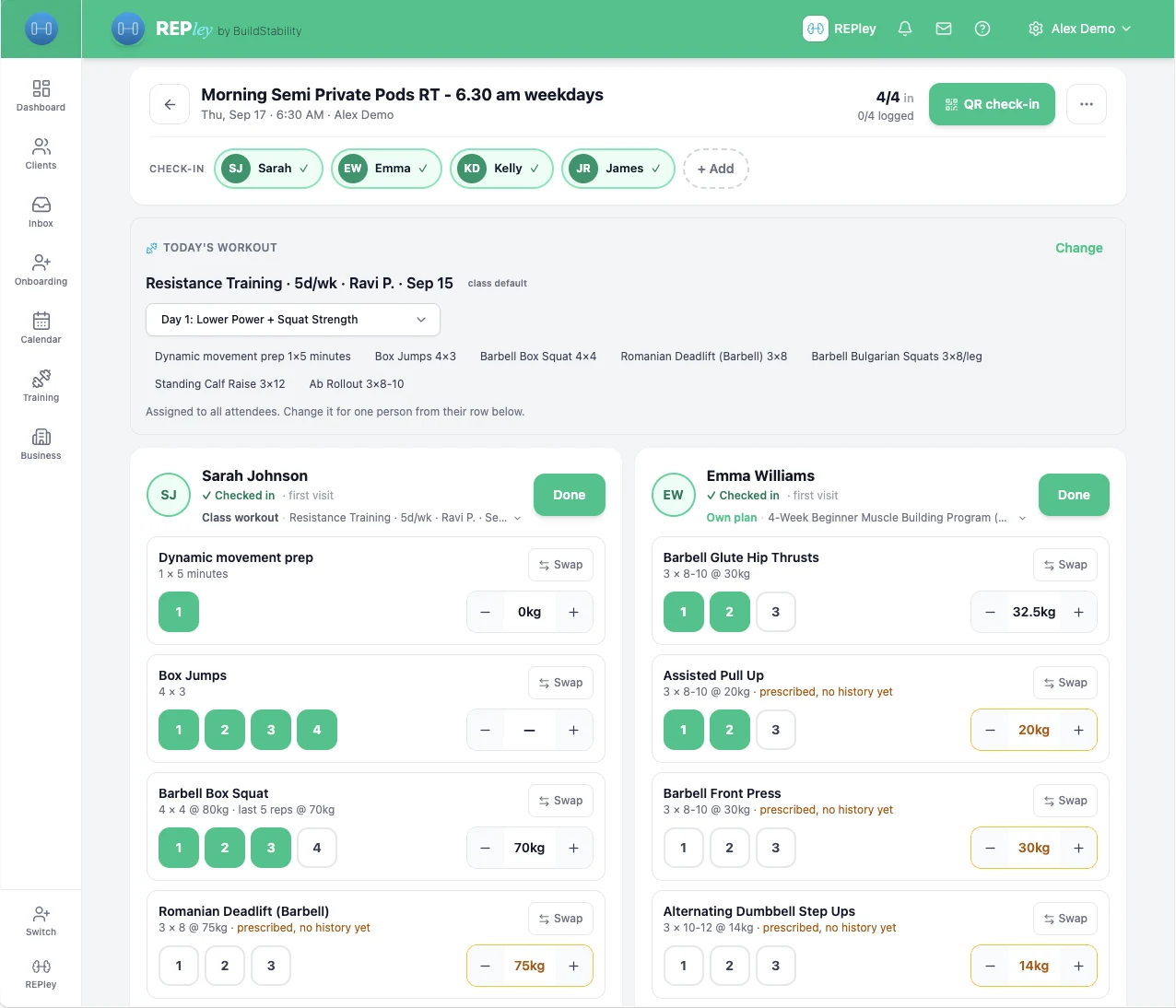
A pod books like a class and coaches like a one-on-one.
Open the session and the whole pod is already there, checked in by QR, with today’s workout attached to the class. Anyone who needs their own program is on it from their row.
- Capacity you set, with a waitlist that promotes the next person the moment a spot opens
- Six people on six different programs, one board, built for an iPad on the floor
- Packs and memberships deduct per visit, so the pod is billed once and not chased
Scheduling is not the plan. It is one part of it.
Everything on this page is on every plan, including the cheapest one. There is no scheduling tier, no billing add-on and no AI upgrade. Plans differ by how many clients you carry, and by nothing else.
Worth checking on any shortlist: Trainerize sells full scheduling, prospect booking pages and automated reminders as a Business add-on at US$25 a month on top of the plan, with client billing a further US$10 a month (trainerize.com/pricing, verified 18 July 2026).
AI program builder
A periodised plan in about 60 seconds, for running, sprint, HYROX, hybrid and general lifting. You edit before it goes anywhere.
AI nutrition
Built on Australian and New Zealand government food data, plus thousands of Coles and Woolworths products, not a US database with the labels changed.
90-day client journey
Six milestones that fill themselves in from logged sessions, ending in a page your client wants to share.
REPley, the assistant
Ask who has not trained in two weeks, or what revenue looked like last month, and get the answer instead of a report to read.
Questions trainers ask
What is personal trainer scheduling software?
Personal trainer scheduling software manages when your sessions happen and who is booked into them. You set your bookable hours once, clients book themselves into the gaps from a phone, and the software enforces the rules around it: buffer time between sessions, how far ahead someone can book, cancellation windows, and daily caps. BuildStability adds the money side to the same record, so a booking also deducts a session credit and produces a tax invoice in the format your own jurisdiction expects.
Can clients book their own sessions?
Yes. You set your availability windows and clients book inside them from their own phone, at any hour. You choose whether a booking confirms instantly or waits for your approval, so trainers who want to keep control of the diary can have it. Regular weekly clients stay booked automatically through recurring sessions.
Is there personal trainer scheduling and billing software that does both?
BuildStability runs scheduling and billing off one record instead of two systems that have to be reconciled. Session packs and memberships are built in, a booking deducts a credit at the moment it is made, and the tax invoice follows with your tax ID on it (an ABN in Australia, an IRD number in New Zealand, a Business Number in Canada, a VAT number in the UK). Payments go through Stripe into your own account with no commission taken on client payments.
What happens when a client cancels at the last minute?
The cancellation is where most scheduling software stops and BuildStability keeps going. When a client messages to say they cannot make a session, REPley, the AI assistant built into BuildStability, drafts a reply in your voice and offers real times from your calendar as a card the client taps to rebook. You review and send the draft yourself, so nothing reaches a client without your approval. No-show tracking flags the clients who make a habit of it.
Is there a personal trainer scheduling app for phones?
Yes. BuildStability ships iOS and Android apps for both sides. Trainers manage the diary, approve bookings and reply to clients from their phone, and clients book, reschedule and check in from theirs. The web version does everything the apps do, so nobody is forced to install anything to get started.
Can it handle group classes and waitlists as well as one-to-one sessions?
Yes. Classes carry a capacity limit and a waitlist that promotes the next person automatically the moment a seat opens, so a cancelled spot refills without you watching for it. QR check-in handles attendance at the door, and studios running reformer or equipment-based classes can reserve specific spots.
Does it handle GST and tax invoices?
Yes. Once you are registered, the invoice calculates the tax and carries your tax ID in the format your jurisdiction expects: GST at 10% with your ABN in Australia, plus a BAS-ready export; GST at 15% with your IRD number in New Zealand; VAT at 20% with your VAT number in the United Kingdom; and GST at 5% with your Business Number in Canada. The one gap worth knowing is Canadian provincial HST, which is not applied yet, so Ontario and Atlantic Canada calculate at the federal 5%. US sales tax is set state by state, so we capture your EIN and leave the rate to you.
Does it work outside Australia?
Yes. Prices are set in Australian, New Zealand, Canadian, British, euro and US currency rather than converted from one at the till, so you are billed a round number in your own money, and client payments run through your own Stripe account and pay out in your own currency with no commission taken by us. Tax invoices calculate GST or VAT for Australia, New Zealand, the United Kingdom and Canada, each with that country's own tax number on the document. Canadian provincial HST is the one rate not applied yet.
How much does personal trainer booking software cost?
There are four plans, priced by how many clients you carry: Essential for 6, Starter for 25, Pro for 100 and Pro+ for 250. Each one is set in your own currency rather than converted from Australian dollars, so the price you see on the pricing page is the price you are charged. Scheduling, billing, classes and the AI assistant are included on every plan rather than reserved for a premium tier, and there is a free 14-day trial with no card required.
Give the diary back to yourself.
Free for 14 days, no card. Scheduling is included on every plan, from A$19 a month.
Start free 14-day trialComparing options? Read the booking software guide or see what it costs.