Personal trainer studio software for pods that coach like a one-on-one.
Semi-private and pod training is where a studio’s revenue per hour climbs. This is the software that runs it: two to six clients on one Class Board, each on their own program, checked in by QR and billed per visit.
- ●A pod of two to six books like a class and coaches like a one-on-one, on one Class Board.
- ●Each person on their own program when they need it, picked up automatically at check-in.
- ●QR check-in at the door, and a waitlist that promotes the next person the moment a spot opens.
- ●Packs, passes and memberships billed per visit into your own Stripe account. No commission.
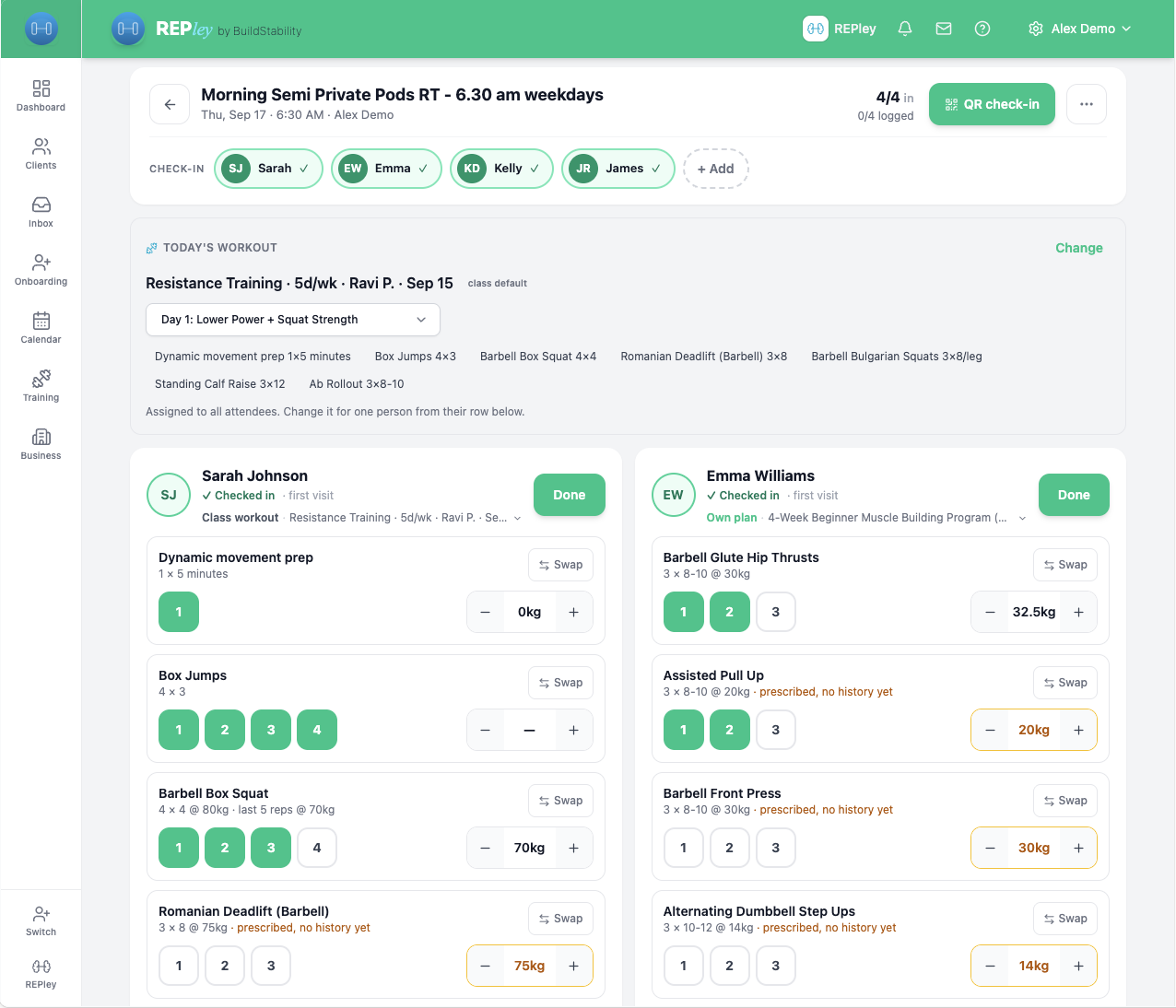
One board, the whole pod, every set logged.
Open the session and the pod is already there, checked in, with today’s workout attached. Tap a set to tick it, nudge the weight, add a note, and hit Done per person without looking away from the floor.
- Their own program
Six people on six different programs, or one workout for the whole pod. Each person’s plan and today’s day sit on their own card.
- Weights that start right
The weight box loads that person’s last logged top set, so two clients on the same movement see their own numbers.
- Swap without breaking the plan
Equipment busy? Swap an exercise for one person, or a whole station for everyone. The program itself is untouched next week.
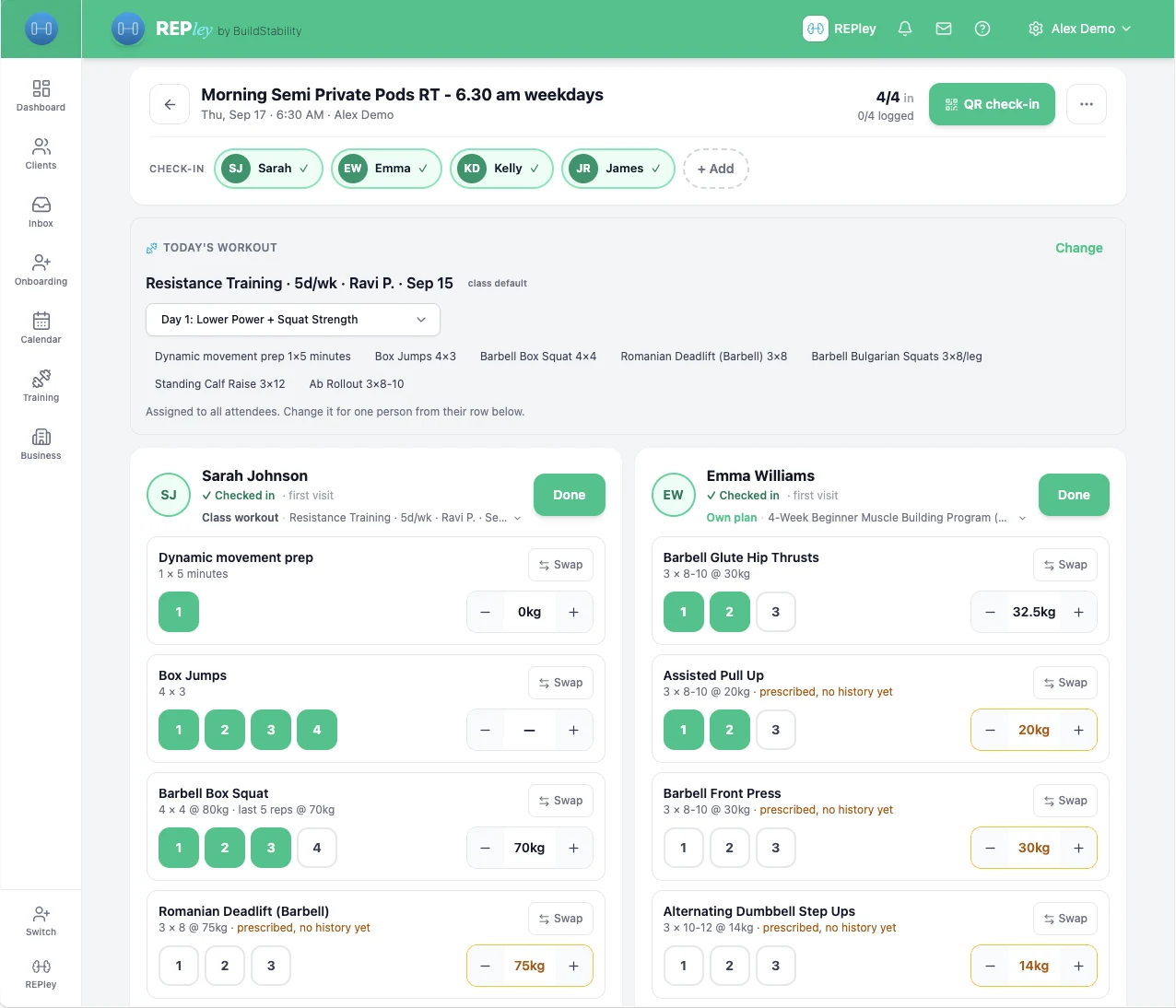
Full pods, without the group chat.
Clients book into a pod from your link up to the capacity you set. When someone drops out, the waitlist promotes the next person on its own, and at the door an iPad checks them in.
- Capacity you set
Two, four, six or a full class. Semi-private pods, small groups and open classes run on the same board.
- Self check-in at the door
Client self check-in puts a QR on the iPad. A client scans it and they are on the board, waiver and screening handled first if they owe one.
- A timetable clients can read
Your public timetable shows each session, who runs it and the spots left, and books it through the package that covers it.

Billed per visit, not chased.
Packs, passes and memberships are bought from your storefront and paid into your own Stripe account. Each visit takes one credit, so the pod is billed when it is booked and the money is in your account before anyone lifts a weight.
- Every way a studio charges
Class packs, passes, memberships and one-offs, and a client can hold more than one at a time.
- Paid at booking
A pod spot is reserved against the pack when it is booked, and a late cancellation follows the window you set.
- Tax invoices in your name
GST-compliant invoices for Australia, with the equivalents for New Zealand, the UK, Canada and the US. Built by a CPA, so the invoice is right whether you are registered or not.
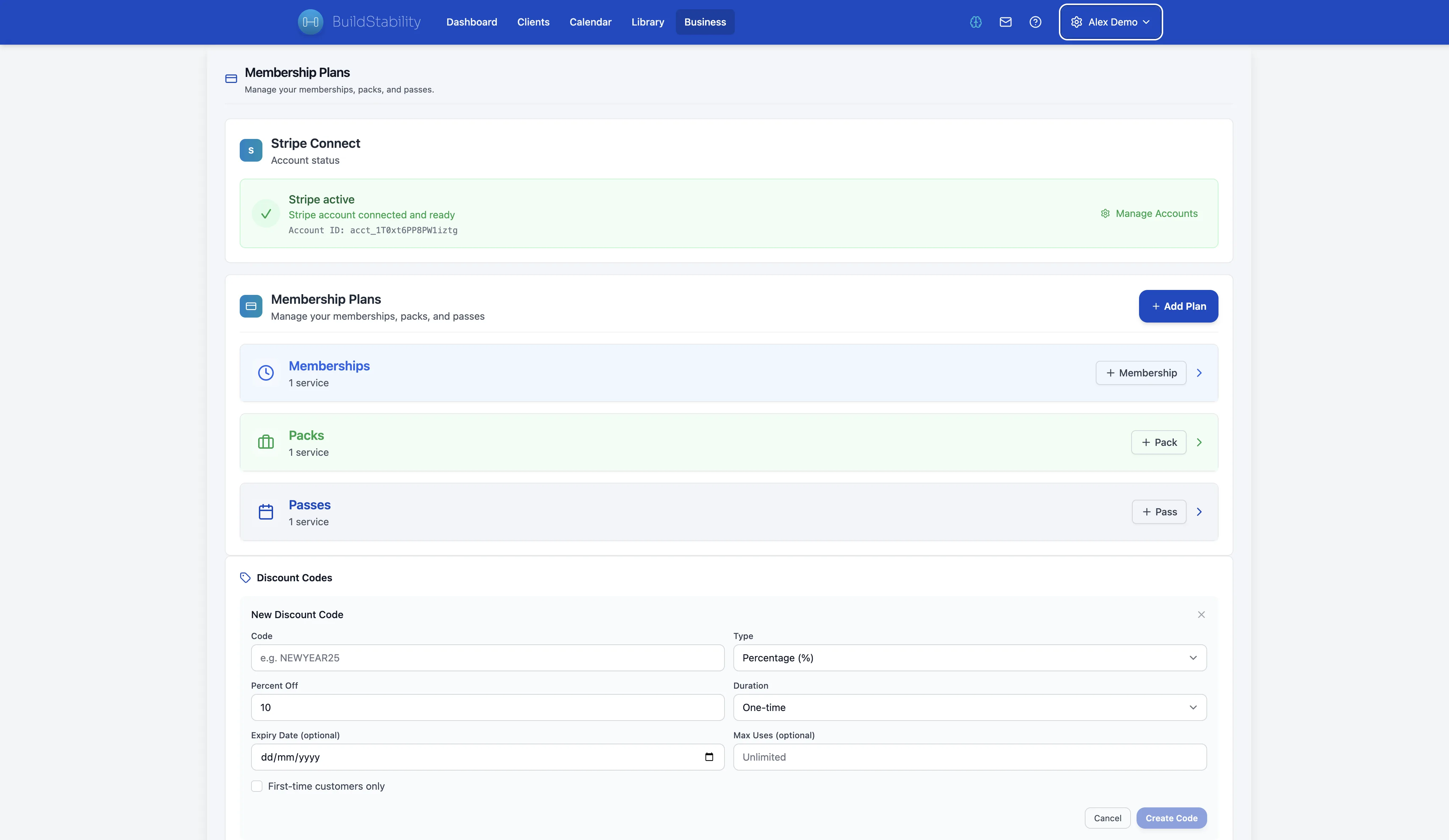
You coach. REPley does the paperwork.
Ask in plain English: who in Tuesday’s pod has not booked next week, move Sam to the 6am, what did the studio invoice this month, build Priya a block for her first pod. Anything that reaches a client, you approve first.
Cancel any time. Keep access until your period ends.
Cancel in 1 click. Directly from the Business page. No support ticket. No phone call.
Keep access until the end of your billing period. No immediate lockouts. Export your data on your schedule.
Changed your mind? Undo in 1 click. Reverse a pending cancellation any time before it takes effect.
Questions from studio owners
What is personal trainer studio software?
Software for a personal training studio that sells sessions in more than one shape: one-on-ones, semi-private pods and classes, with booking, check-in, programming, logging and billing in one system. In BuildStability a pod has a capacity you set, a waitlist, QR check-in and a Class Board where every attendee is logged while they train.
How many people can a semi-private session have?
As many as you set. Semi-private usually means two to six clients sharing a coach, and the Class Board is built around a pod that size on an iPad: every attendee on one screen, each with their own card, so you can tick sets for six people without scrolling. Larger classes use the same board.
Can each client in a pod follow a different program?
Yes. When you create the session, choose The same workout for bootcamp, pilates and circuits, or Their own program for semi-private. With Their own program, each person’s plan and today’s day appear on their own card the moment they check in, side by side with the others.
How do clients check in to a pod?
From their phone, or on an iPad at the door. Tap Client self check-in on the Class Board and the iPad shows a QR code; a client scans it and they are on the board. If they still owe a waiver or a health screening, the same QR takes them to it first. You can also check anyone in with one tap on their card.
How is a pod billed?
Through packs, passes or memberships the client buys from your booking page or storefront, paid into your own Stripe account with no commission. Each visit uses one credit from their pack, or counts against their membership, so the pod is billed once when they book and nobody is chased afterwards. Invoices go out in your business name.
Does it work on an iPad on the gym floor?
That is what the Class Board is designed for: one-handed, with big tap targets, and nothing saves until you hit Done per person, so patchy gym wifi never half-writes a session. It works the same in a browser on a phone or laptop.
How much does BuildStability cost for a studio?
Every feature is on every plan. Plans differ only by how many clients you coach: 6, 25, 100 or 250. The first 14 days are free with no card, there is no commission on client payments, and you can cancel in one click.
Run your first pod free for 14 days.
From A$19/mo. No credit card. Cancel in 1 click.
Mostly one-on-ones? Personal trainer scheduling software.