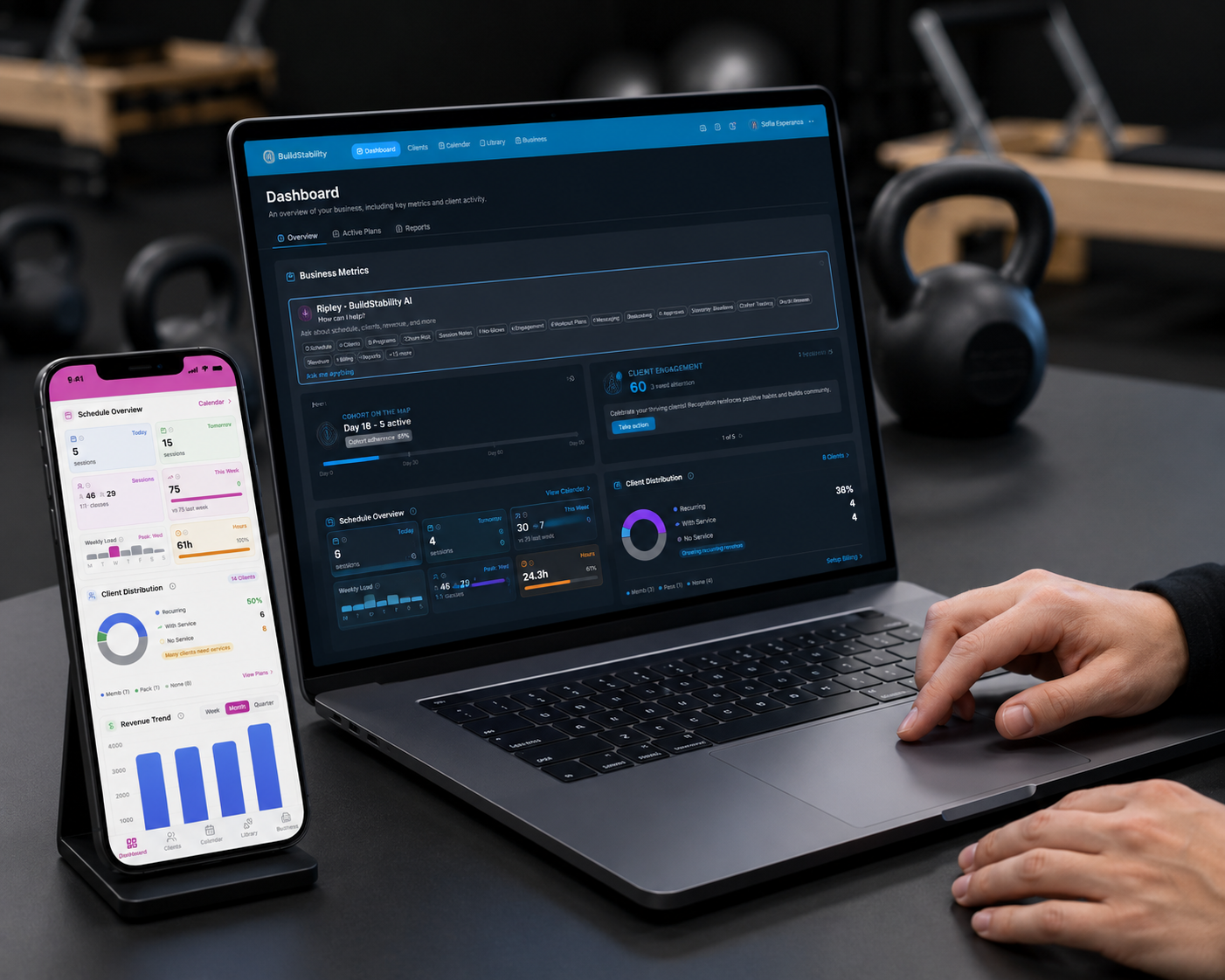
Membership software that actually collects.
Automated direct debit billing, failed payment retries, and membership management, built for Australian fitness businesses. Get paid without chasing.
- ●Automated direct debit with instant GST invoices.
- ●Failed payments retry themselves. You get notified, not involved.
- ●Active-member billing only. Archive and stop paying.
No feature gates. No add-ons. No commission.

“Most PT software is glorified data storage with a subscription attached. BuildStability is different.”
Vinay Koka · Founder, Synergy Training & Health

“It’s built for PTs first and foremost, not just an app that works for your clients. I’m an actual PT with face-to-face and online clients who switched, and couldn’t be more convinced this is the holy grail.”
Ad Coutts · Ad Coutts Personal Trainer

“The software is amazing! I am only just starting out as a PT but loving it. Building my client base, getting my face out there. As a rent paying PT I was recommended another app that everyone uses by one of the other trainers. Then I found REPley, and I am SO grateful. It is so useable.”
Shayna Fernando · Live Lift Love with Shayna · Toowoomba QLD
Membership billing that runs itself.
Every feature included on every plan. No add-ons, no per-member fees, no transaction surcharges on top of Stripe.
Automated direct debit with GST tax invoices sent instantly.
Failed payment retries happen automatically.
You get notified, not involved.
Membership pause, freeze, and cancellation workflows, fully automated.
Member portal: clients update their own details and payment methods.
Predicts churn risk 30 days before a member cancels.
Every feature on every plan.
No add-ons.
When someone cancels, the next person is in. Before their seat cools.
Class hits capacity. Clients join the waitlist. You don’t lift a finger.
- Position shown up-front
Clients see their queue position (“#3 in queue”) before joining. No mystery about whether they’ll make it in.
- Auto-promotion fires instantly
Any cancellation, manual or client-initiated, promotes the next person and sends the confirmation. No staff in the loop.
- No "did I make it?" texts
No email bounces, no double-bookings, no back-and-forth confirming attendance. The booking is the answer.


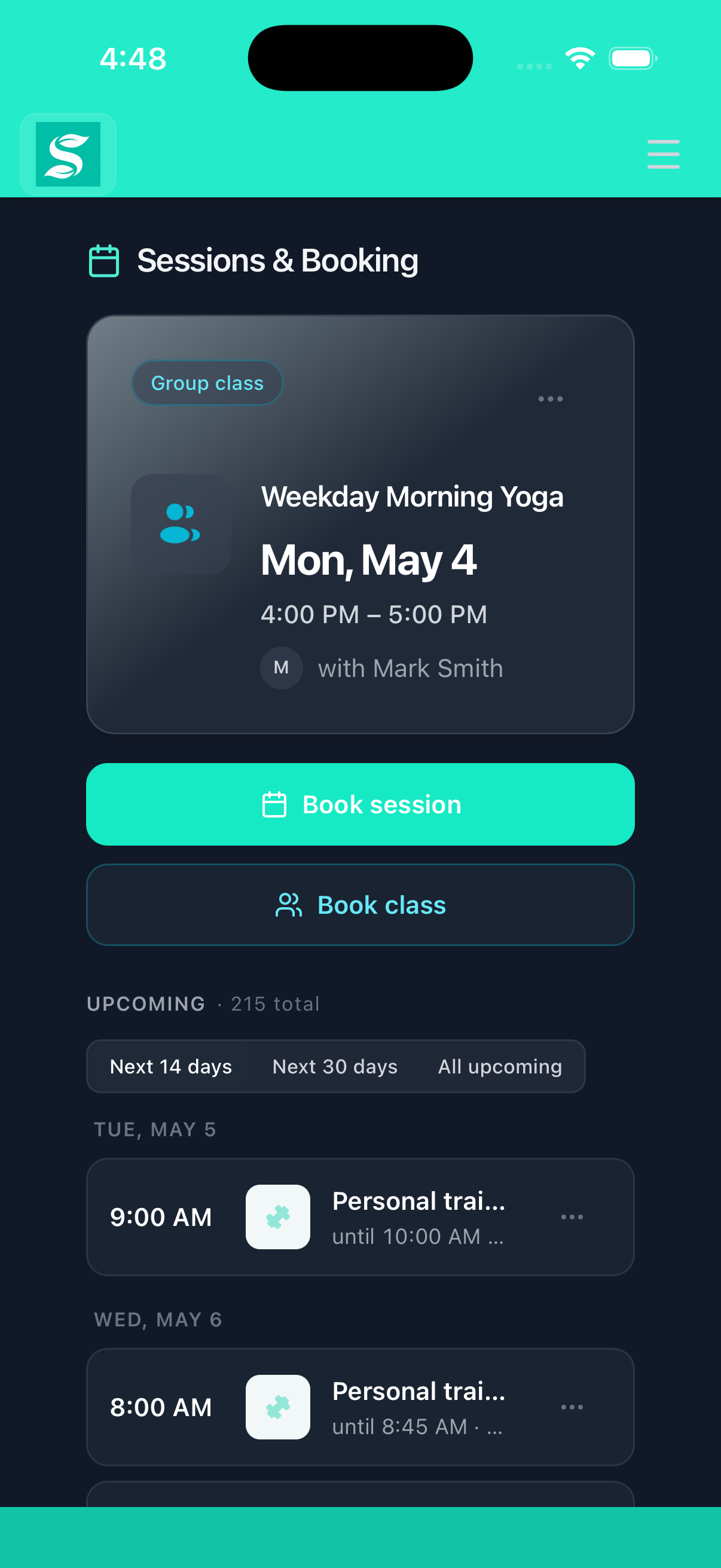
Clients log in and book themselves.
Clients sign into your branded portal and hold a slot themselves. The back-and-forth text thread dies in week one.
- Real-time availability
Spots-remaining per session, updated live. Clients see what’s actually free, not last week’s grid.
- Class packs and memberships
Credit deducted automatically on booking. Membership rules enforced. No manual reconciliation at month-end.
- Server-side conflict checks
Capacity and overlap enforced on the server. No double-bookings, no client can bypass with a bookmark.
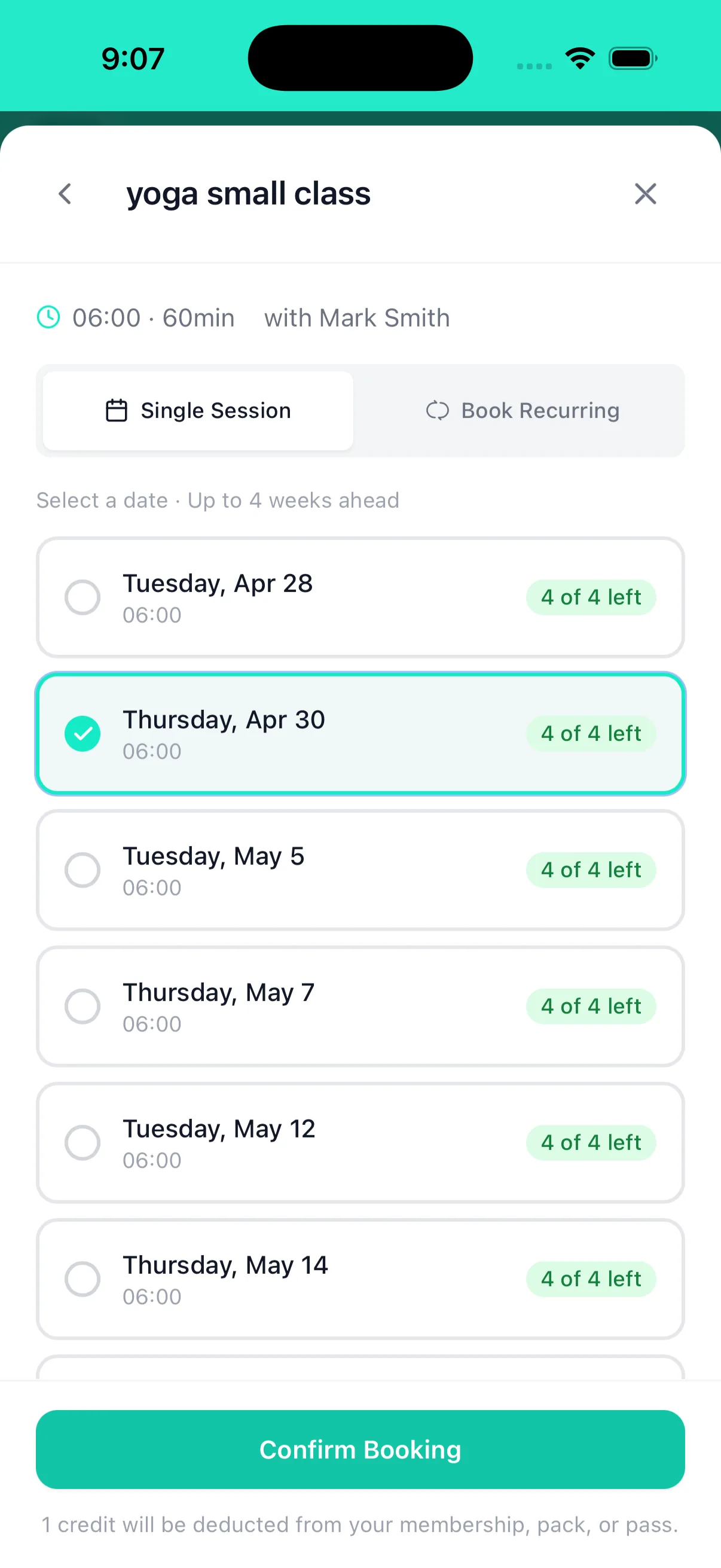
Two clients can’t book the same slot.
Availability, overlap, class clashes, buffer windows. Checked on every booking.
- Catches every clash type
Appointment overlap, class conflicts, buffer-window violations. All checked on every booking, no exceptions.
- Suggests alternatives
When a slot is gone, the second person sees the next available options. Not a broken confirmation page.
- Server-side enforcement
All validation runs on the server. No client can bypass with a saved bookmark or stale tab.
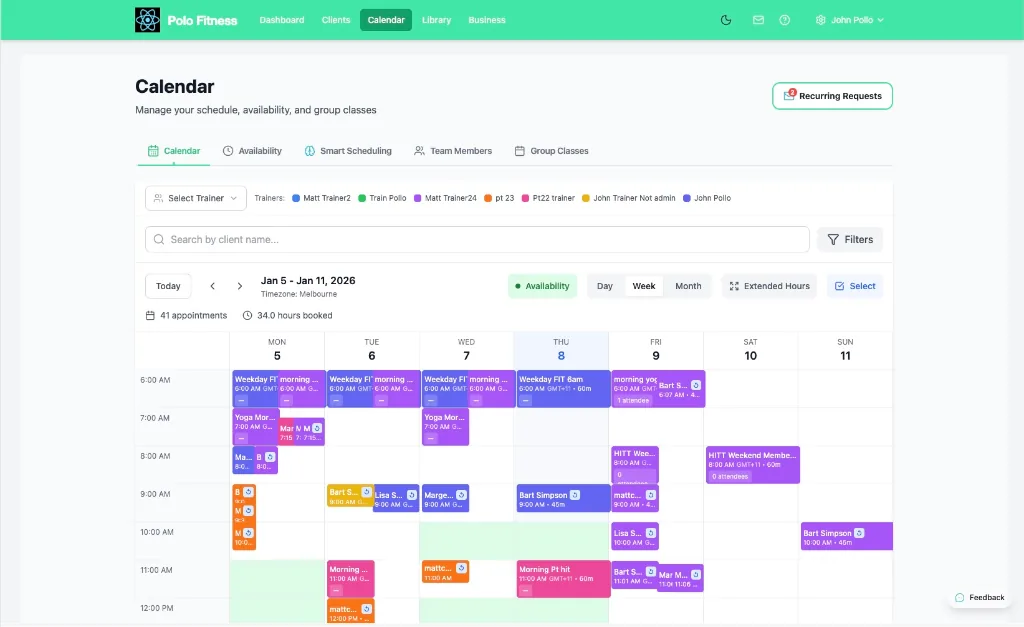
- Google Calendar, both ways
Connect once. Sessions appear in your Google Calendar and move when you reschedule, and your own busy time for the next fortnight can close those slots here. All-day entries are ignored and blocking is a switch you control. We only read free or busy, never event details.
Repeat no-shows show up in the data. You decide what to do.
Set your own warning and block thresholds. Your rules, your business, your call.
- Thresholds you choose
Set the warning count, the block count, and the rolling window per business. No platform-imposed minimum.
- Block duration you choose
Decide how long a blocked client stays paused. Lift it manually any time. Forgive or not — it’s your business.
- Server-side enforcement
Blocks fire on the booking server. Clients can’t bypass them with a stale tab or a refreshed URL.
Clients walk in. Scan. Checked in.
iPad at the studio door. Clients scan, they’re in. No clipboard, no sign-in sheet.
- iPad kiosk at the door
Self-service check-in. No trainer or front-desk needed. Staff get to coach instead of working a desk.
- Scoped per class
Each QR code is tied to one specific session. Nobody can accidentally check in to the wrong class.
- Backup lookup
Forgot the phone? Staff type name, email, or phone and tap through. Nobody waiting in the doorway.
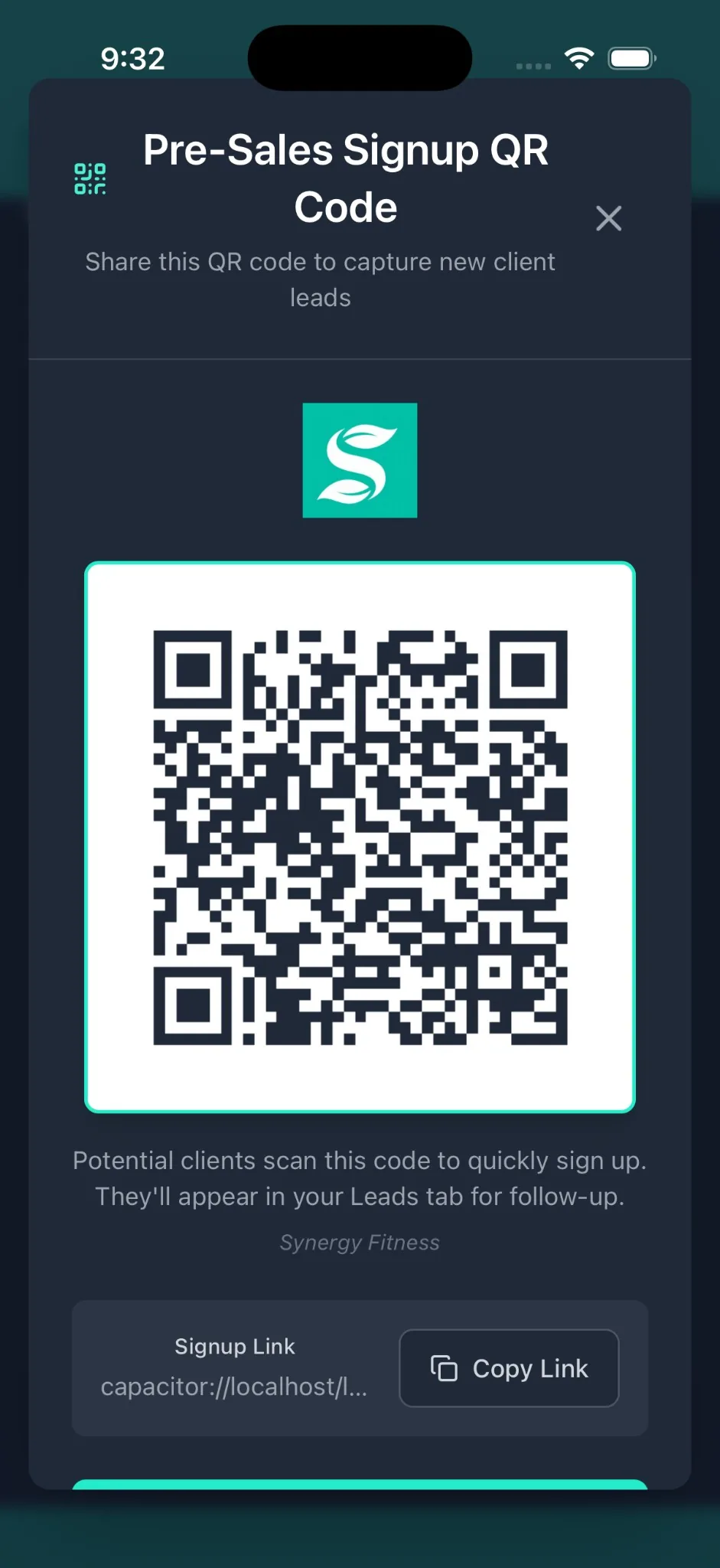
Your studio name, logo, and colours on the booking portal.
Your brand in the client experience. Our infrastructure behind it. No email server to run, no app to build, no per-class fees.
- Logo and colours, everywhere
Custom logo and primary colour across the booking portal, reports, invoices, and check-in screens. One setup, every surface.
- Emails from your name
Class confirmations, waitlist notices, reminders send from your business name via our infrastructure. No mail server to wrangle.
- No per-class fees
Unlimited classes, unlimited bookings, zero commissions. The price you see is the price on your bank statement.
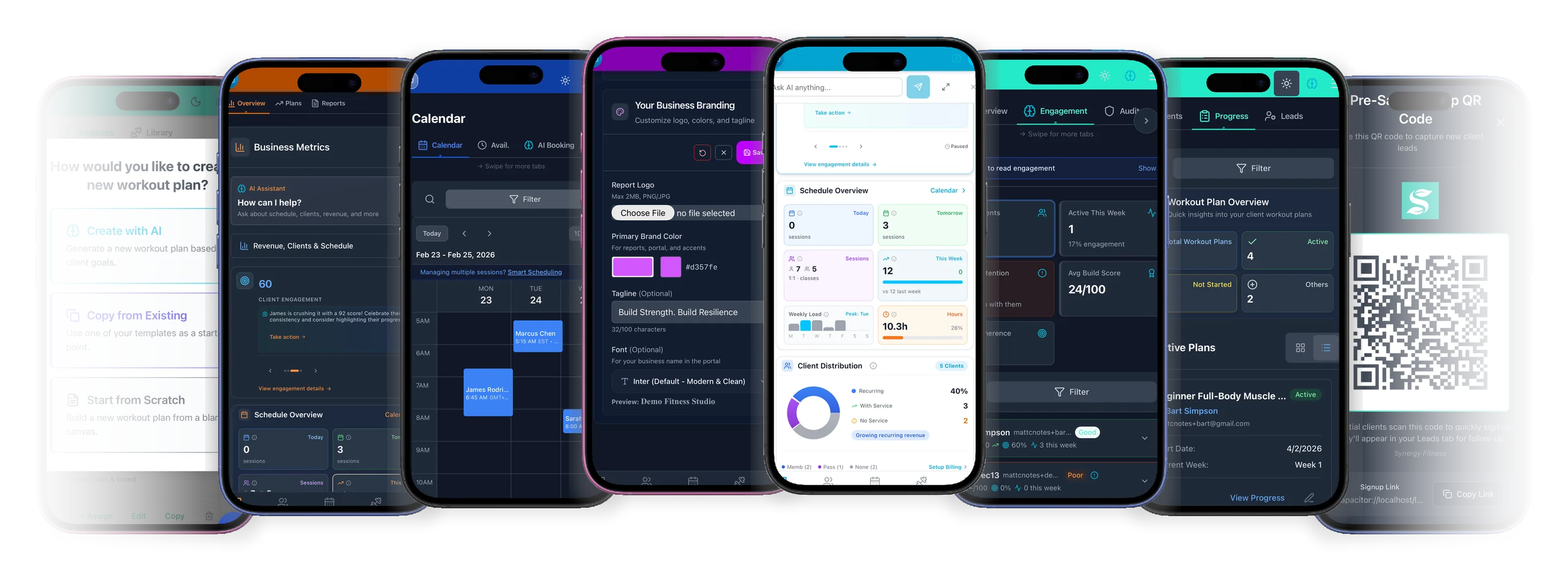
Members come for class. They stay because they see the change.
Capture a wellness score, mobility note, and starting photo on Day 0. No 1RMs unless you want them. Optional body measurements and a goal in the member’s own words. Two fields if that is all you have time for.
- Day 0 in 30 seconds
Goal and starting weight by default. Optional toggles for 1RMs, body measurements, starting photo. Skip what doesn’t matter.
- Six milestones, mostly auto
Day 0, 7, 14, 30, 60, 90. Strength PRs and adherence land on the right milestone automatically. No manual journaling.
- Day 90 they share
The arc ends with a celebration page the client posts. Warm referrals without asking, and the natural moment to talk about the next 90 days.
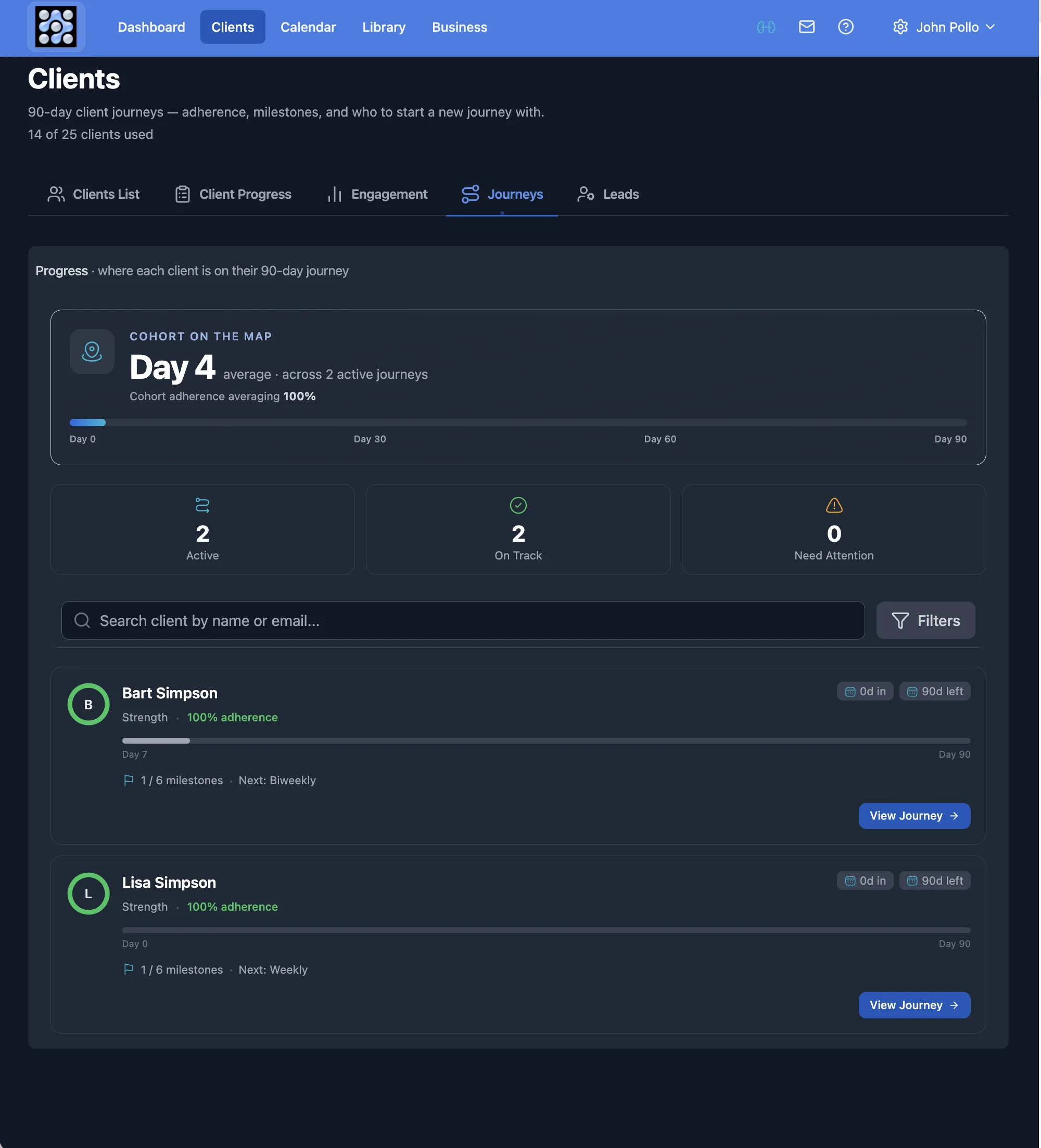
Onboarding that runs itself, so you can take on more.
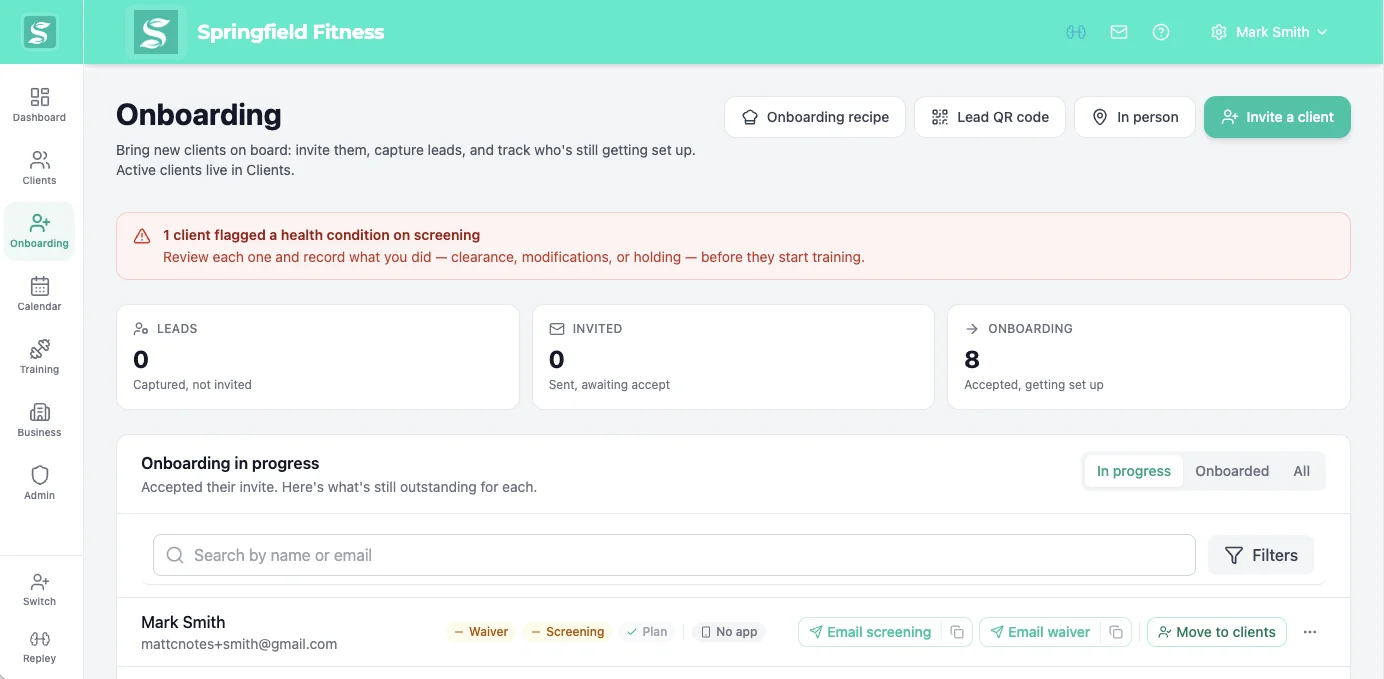
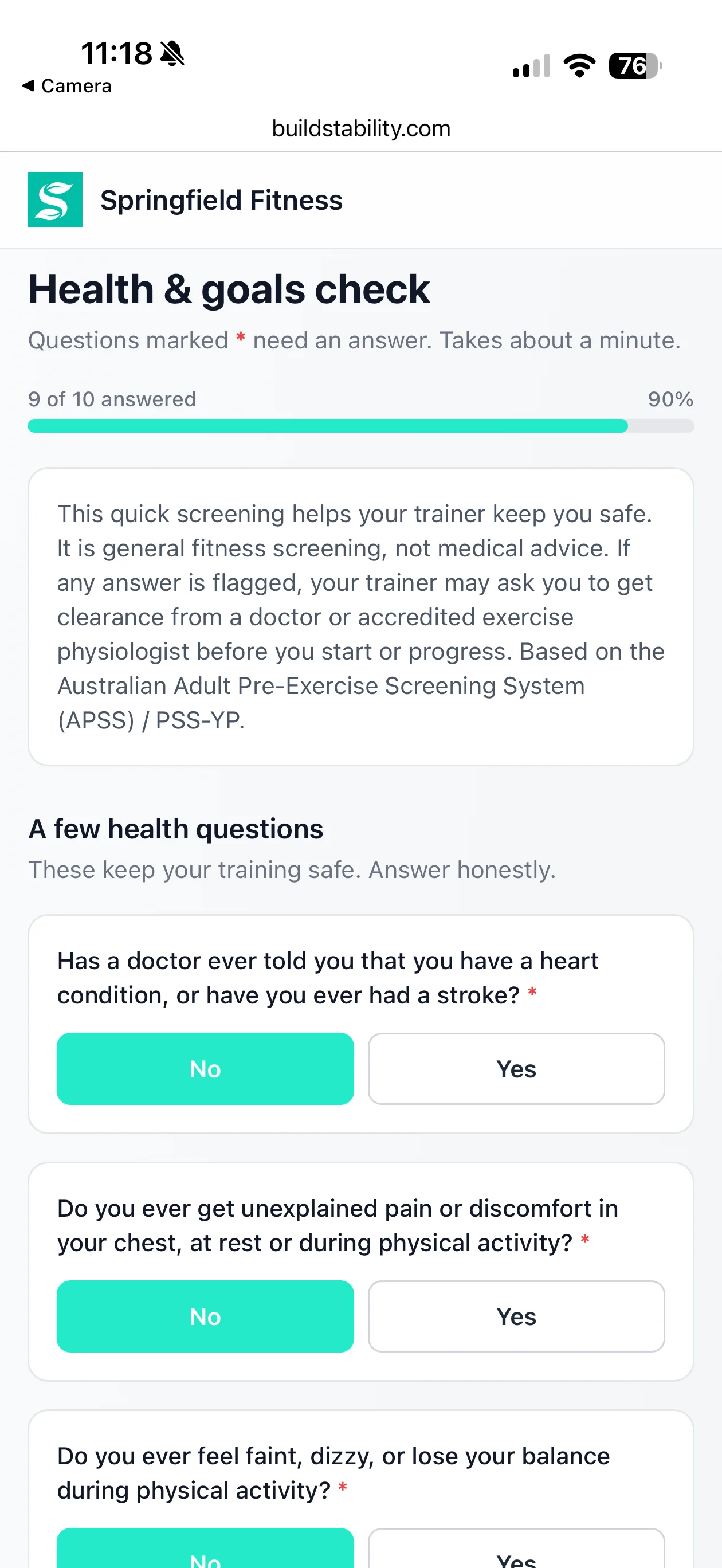
The part of growing you keep putting off now sorts itself. Send one link and the waiver, screening and payment are handled, every client the same way.
- One link, no app
They sign and screen from a phone or browser. Nothing to download, no password, the same for every client.
- Nothing slips through
Flag a condition on the AU and NZ screening and they wait in a review queue. You clear, modify or hold, on the record.
- Money arrives on its own
Near trial end they get a card link, add a card with no login, and billing starts. You never send the awkward text.
A business coach for the business side. Not just another PT app.

Matt Crofts · CPA · 25 Years Software
Every PT tool I tried was old software with a complex price list: tiers, add-ons, and in some cases a cut of what your clients pay you. You should not need a business degree to know whether you are being ripped off. So I built REPley by BuildStability for the AI era of trainers. Ask it in plain English and it runs the admin. Simple to learn, one price with every feature in it, and on your side.
Cancel any time, without friction.
Cancel in 1 click. Directly from the Business page. No support ticket. No phone call.
Keep access until the end of your billing period. No immediate lockouts. Export your data on your schedule.
Changed your mind? Undo in 1 click. Reverse a pending cancellation any time before it takes effect.
Ready to get paid without chasing?
From A$19/mo. 14-day free trial. No credit card. Cancel in 1 click.